
Who this is for:
- Parents/Carers
Summary:
By the end of this article, you will:
- Know where to look in a Gmail or iCloud Mail account to help you locate a missing password reset email
Step-by-step instructions:
First, it's worth noting the email address the password reset email will be sent from is noreply@weduc.co.uk.
If a password reset or account verification email has not appeared in your inbox, there are a few things below that you can try to help you locate it:
-
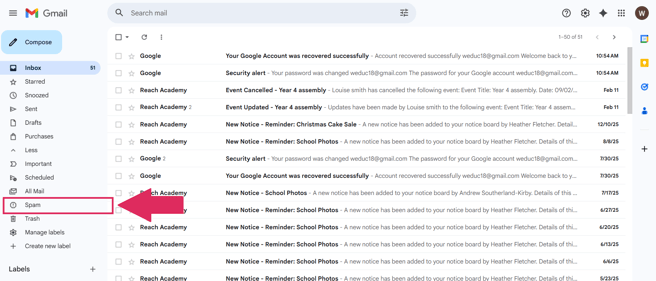
Check your Spam folder.
-
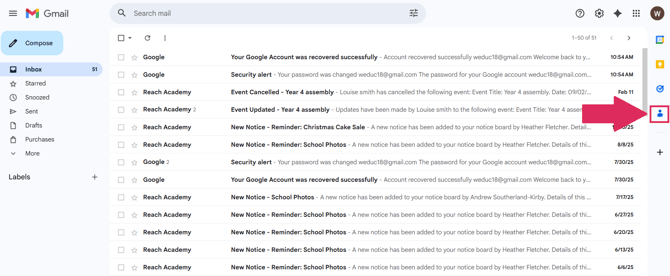
Try adding noreply@weduc.co.uk as a safe sender or a contact.
-
Check and update the email filter settings using the below instructions:
Gmail:
You may not receive emails in Gmail due to improper email filter settings. To check and alter the email filter settings, you can follow the steps below:
1) Open and login to your Gmail account.
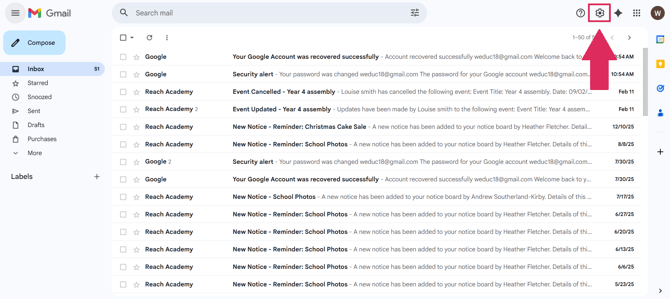
2) Click the Settings icon.
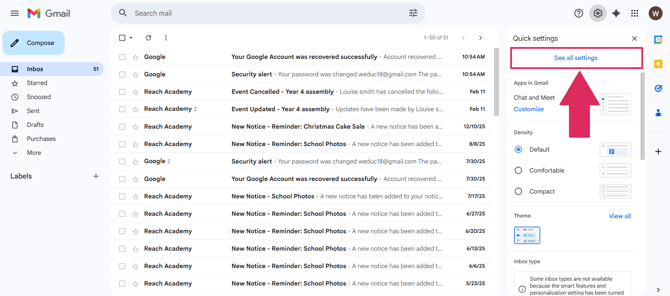
3) Select 'See all settings.'
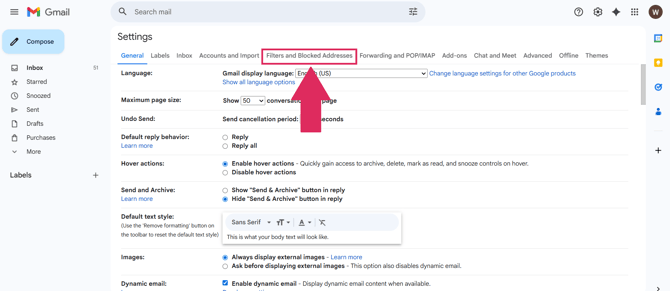
4) Click the Filters and blocked addresses tab.
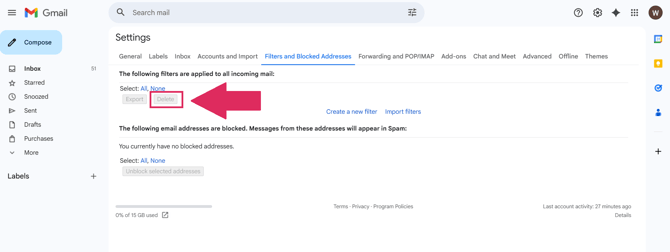
5) Select all filters in the list, and click the delete button to remove all filters.
iCloud Mail:
To change of delete the filtering rules:
1) In Mail on iCloud.com, click the cog icon at the top of the mailboxes list.
2) Select Preferences.
3) Click Rules, then select a rule.
3) Carry out either of the following steps:
-
-
Change a rule: specify new filtering conditions in the pop-up menus and text fields, then click Done.
-
Delete a rule: click Delete.
-
To reorder the email filtering rules:
When you have multiple rules, they are applied in the order in which they appear in the list.
1) In Mail on iCloud.com, click the cog icon at the top of the Mailboxes list.
2) Select Preferences.Related Articles:
Still need help?
Contact our team at support@weduc.com or on 01509 221349 (option 2).