
Who is this for:
- Parents/Carers
Summary:
By the end of this article, you will understand:
-
How to reset your password in the ReachMoreParents app.
Video walkthrough:

Step-by-step instructions:
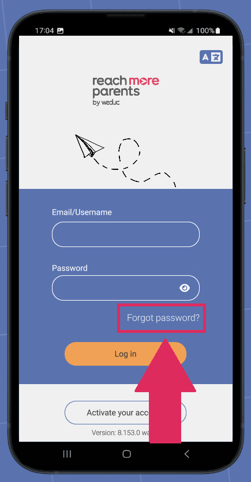
1) Open the Reach More Parents app and tap 'Forgot Password?'
2) Enter your email address and tap RESET PASSWORD. A password reset email will be sent to you.
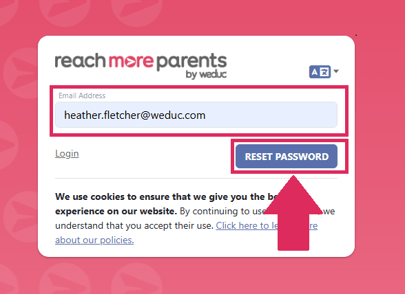
*NB If the email does not appear in your inbox, check your junk or spam folders.
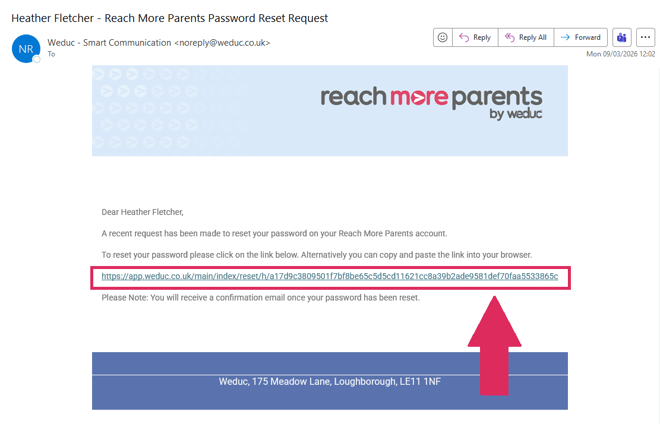
3) Open your 'password reset' email and click the link.
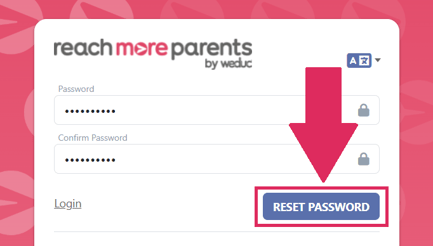
4) Enter your new password in both the 'Password' and 'Confirm Password' fields, ensuring both passwords match.
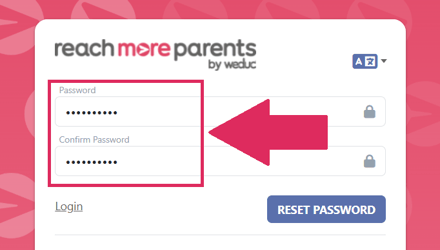
5) Tap RESET PASSWORD.
6) Open the app and enter your username and new password. Tap Log in.
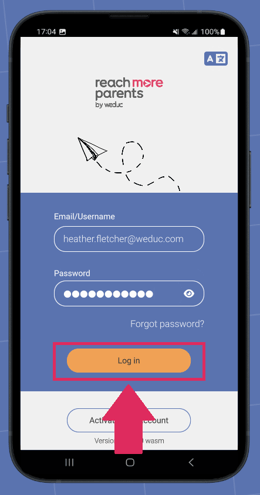
You should now be granted access to your ReachMoreParents app.
Related Articles:
Still need help?
Contact our team at support@weduc.com or on 01509 221349 (option 2).