
Once pupils have been assigned FSM or UIFSM status in ReachMoreParents, the FSM/UIFSM rates must be set in your platform to determine the cost that will be covered by a Free School Meal or Universal Infant Free School Meal. Failure to set your FSM/UIFSM rates may result in parents being incorrectly billed for meals. This guide explains the steps needed to set your FSM/UIFSM rates in your ReachMoreParents platform.
If you have stumbled upon this article and are unsure how to assign UIFSM status to eligible pupils within ReachMoreParents, please review our guide here.
If you are unsure how FSM status is automatically assigned to eligible pupils within ReachMoreParents, please review our guide here.
Setting FSM/UIFSM Rates
To set your FSM/UIFSM rates in ReachMoreParents, please follow the steps below:
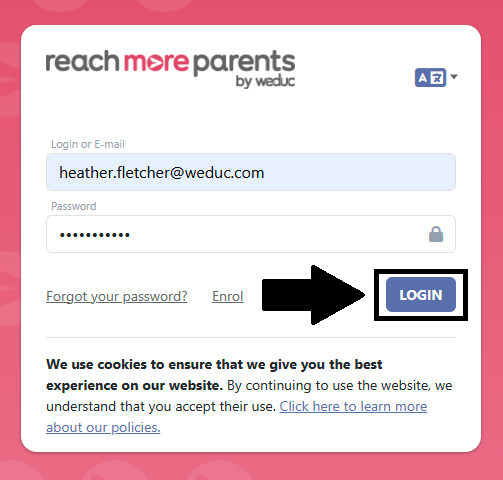
1) Login to ReachMoreParents.
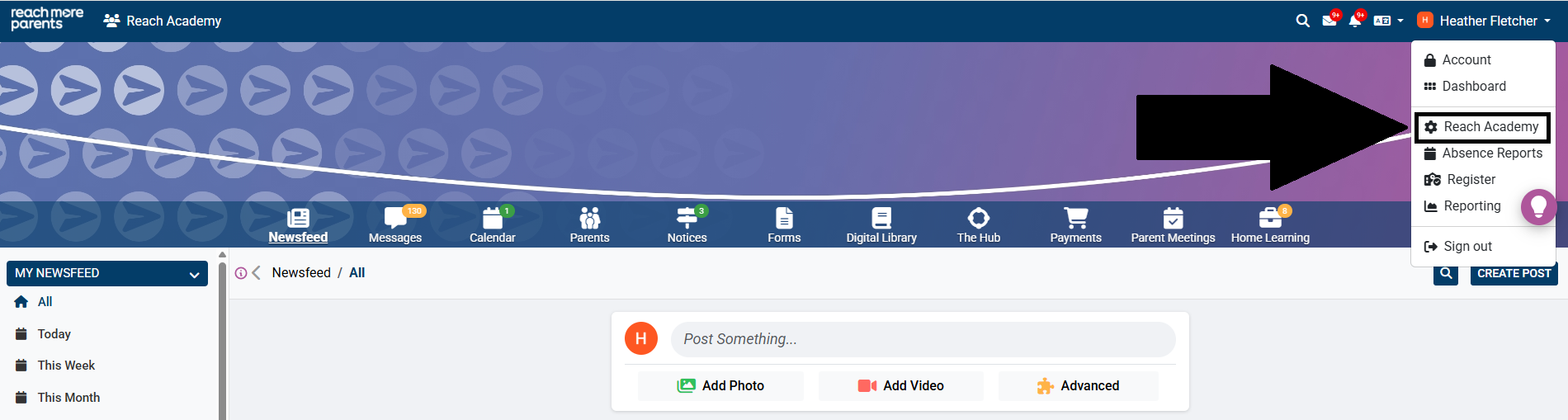
2) Click on your name in the top right hand corner and select the cog icon.
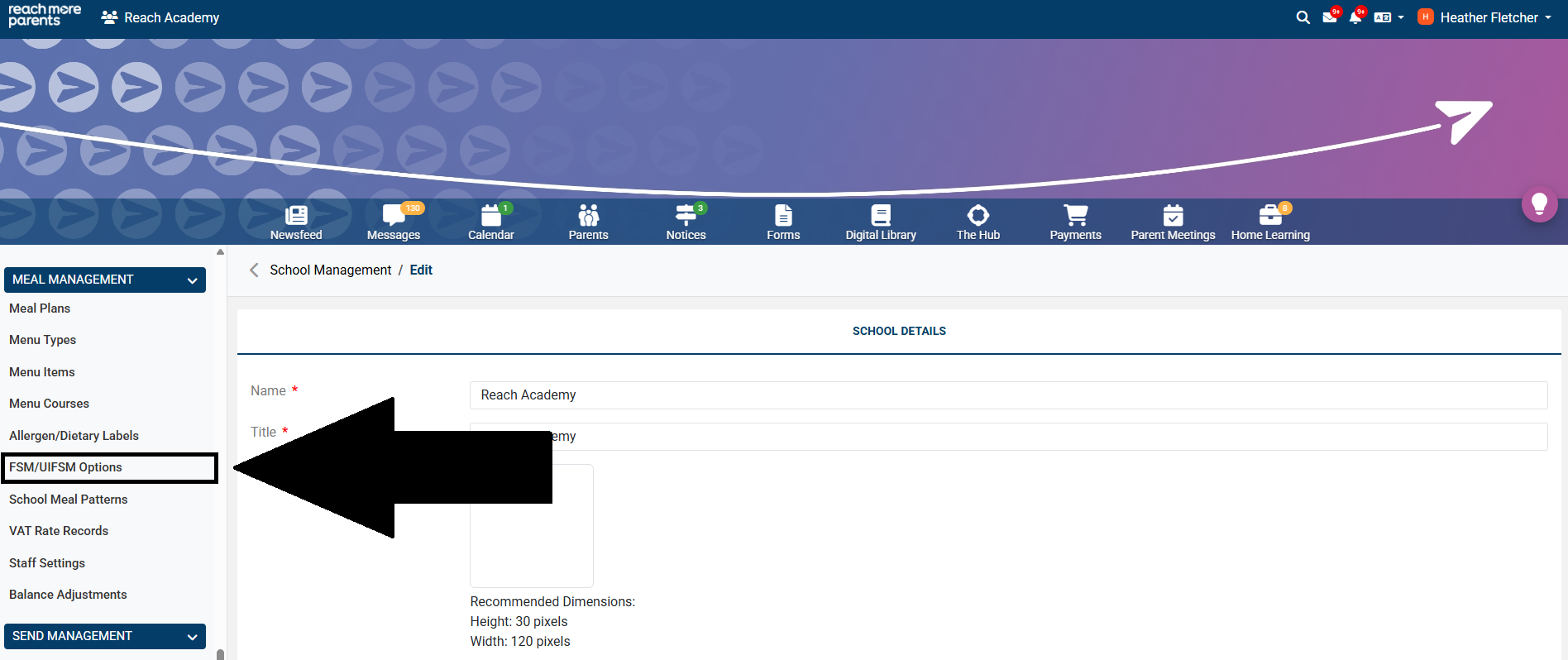
3) Click ‘FSM/UIFSM Options’ within the ‘Meal Management’ Menu.
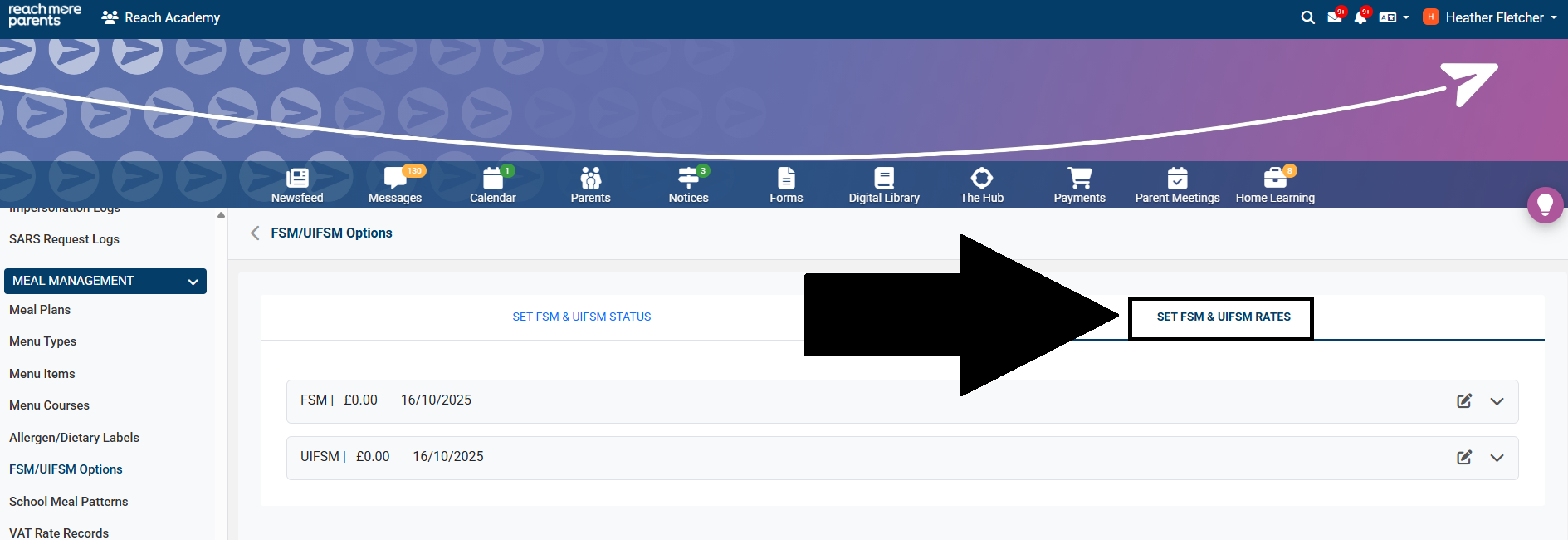
4) Select the 'Set FSM & UIFSM Rates' tab.
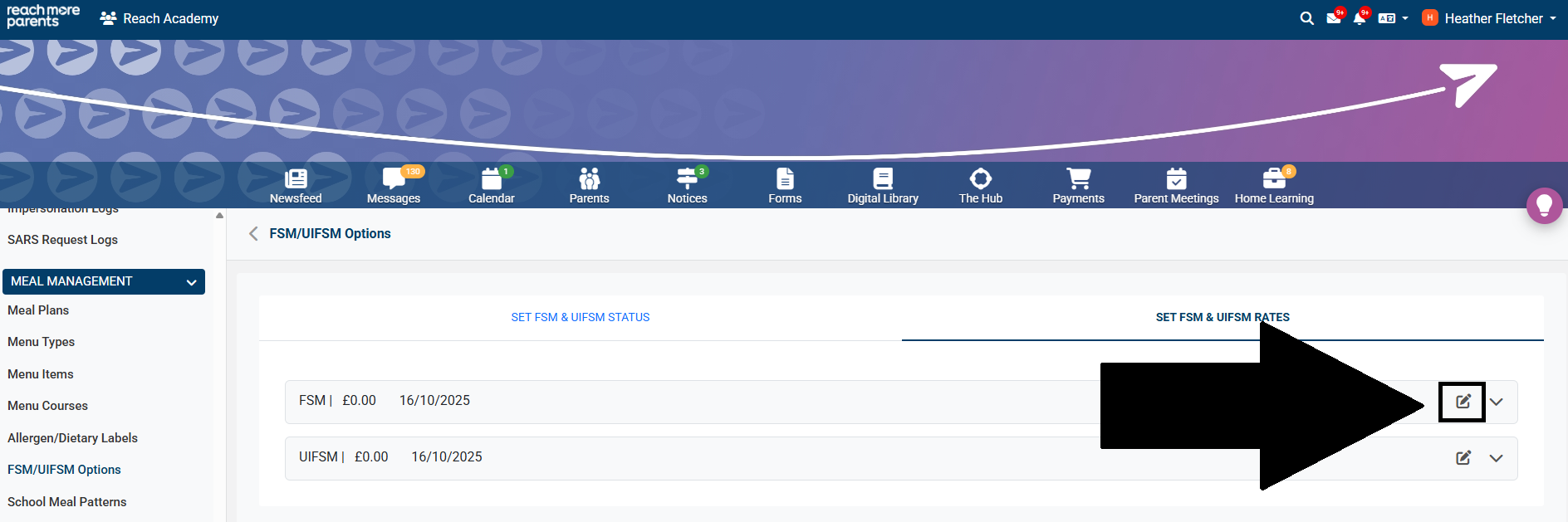
5) Click the pencil icon within the grey 'FSM' box.
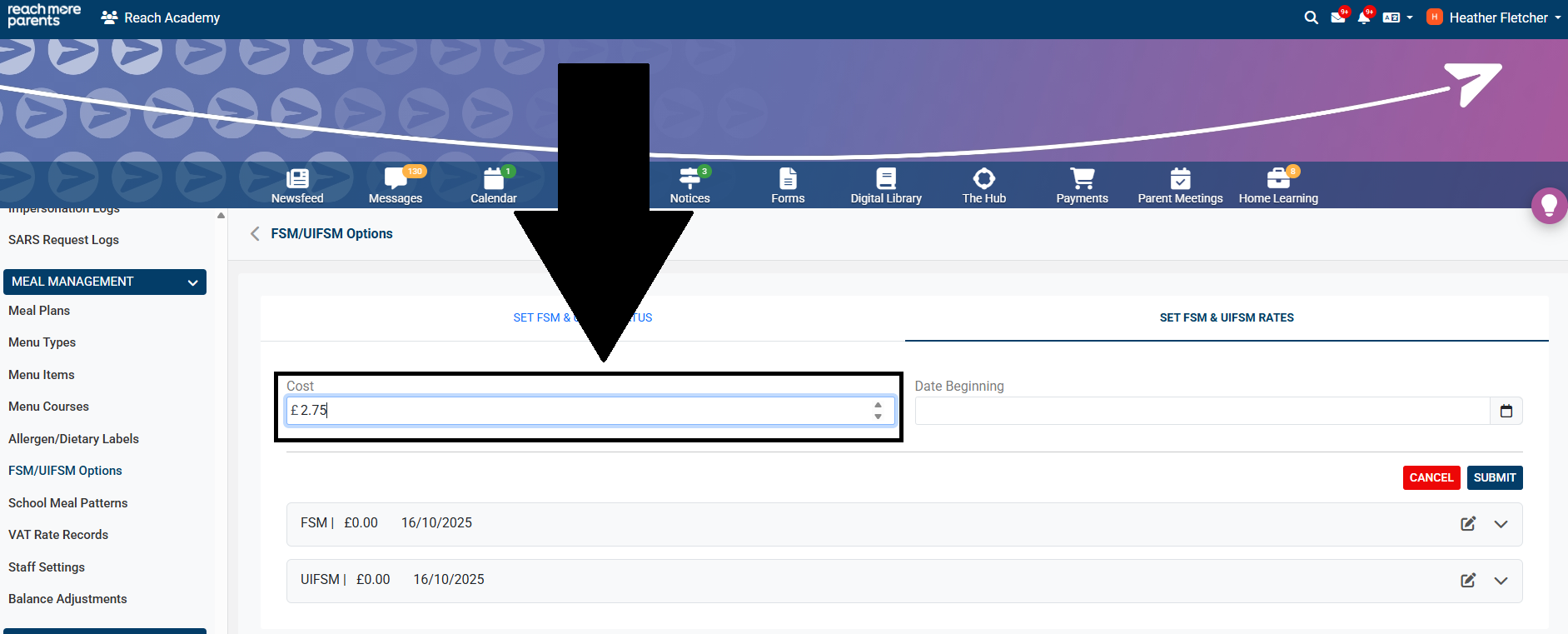
6) Type the cost to be covered by a Free School Meal in the 'Cost' field.
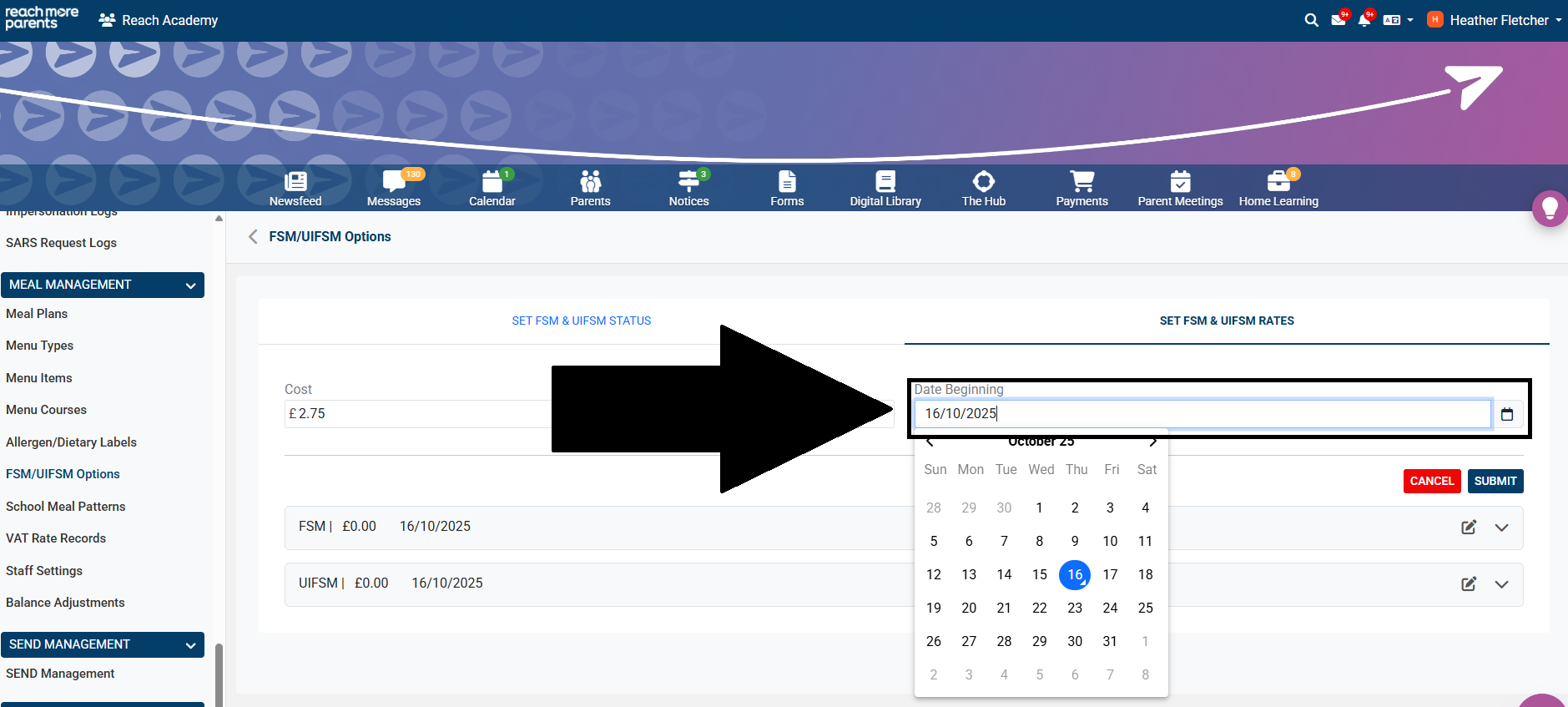
7) Click into the 'Date Beginning' field and choose a date from the calendar for when the changes need to be applied.
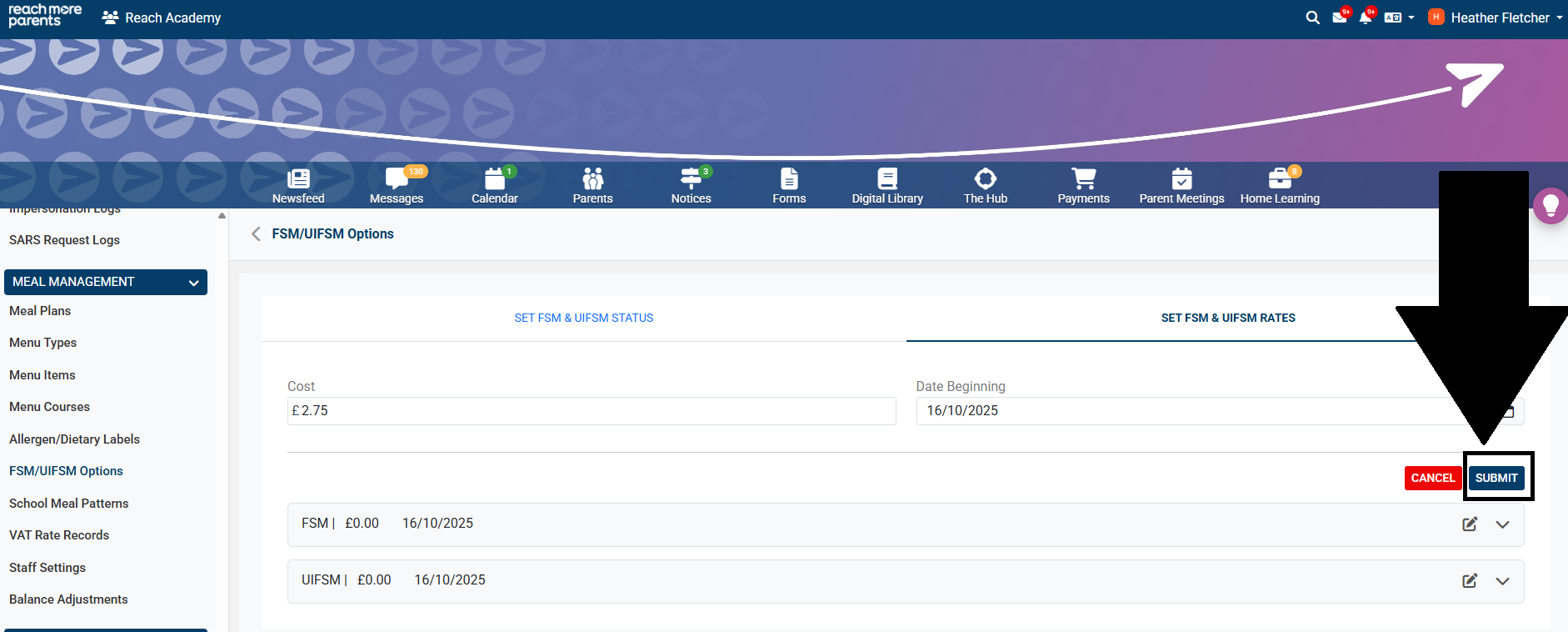
8) Click 'Submit' to apply the changes.
9) Repeat steps 5-8 to set the 'UIFSM' rate.
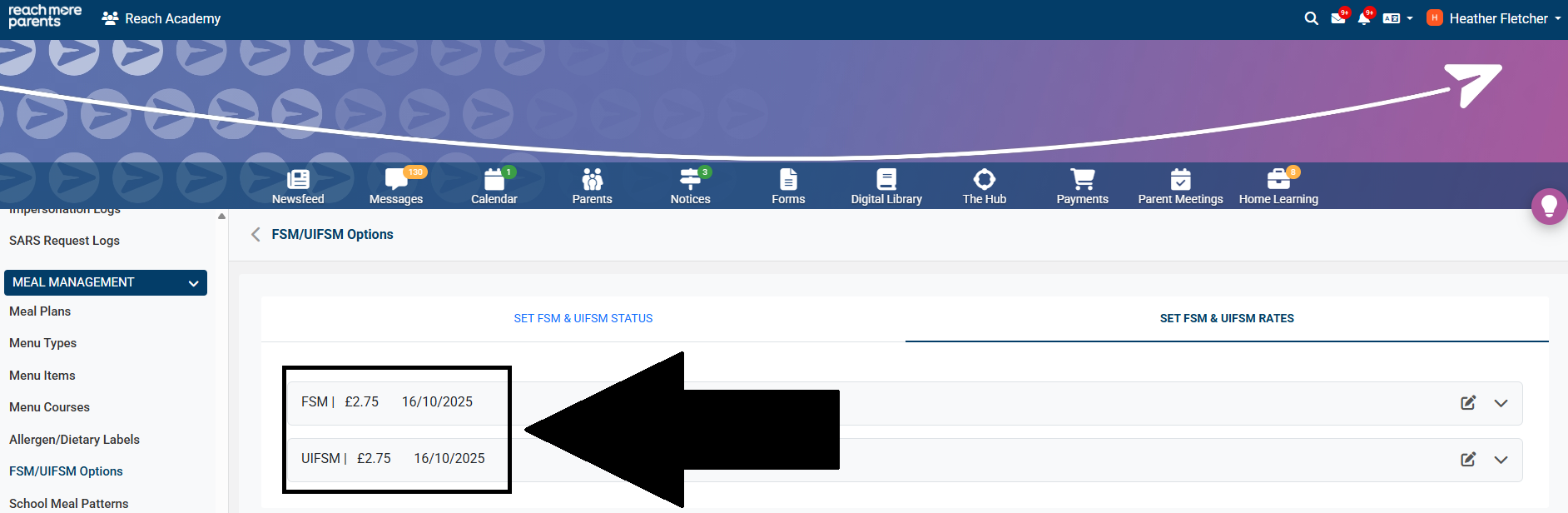
10) FSM and UIFSM rates should now have updated and should show the cost to be covered by both a Free School Meal and a Universal Infant Free School Meal.
**IMPORTANT**
Please note, your FSM/UIFSM rates must be updated whenever there is a price increase to your school's meal items. Failure to carry out this process correctly may result in your parents being incorrectly billed for meals.