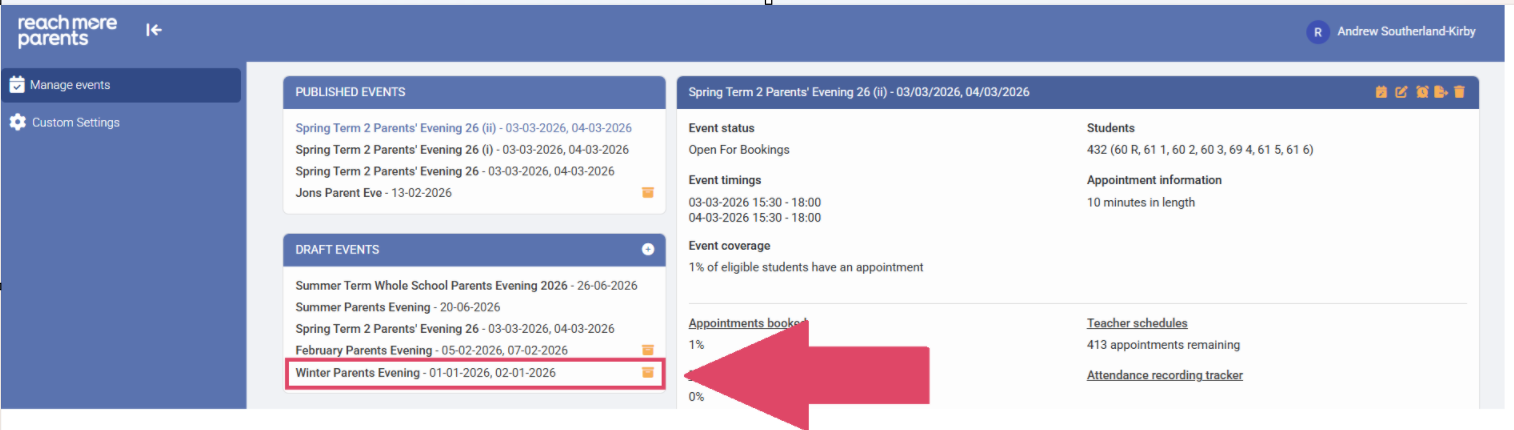
f you have mistakenly archived and event when you weren't meant to do so yet, you will need to "un-archive" the event.
This article will detail how to do so.
First, you need to access PEMS as an Admin:
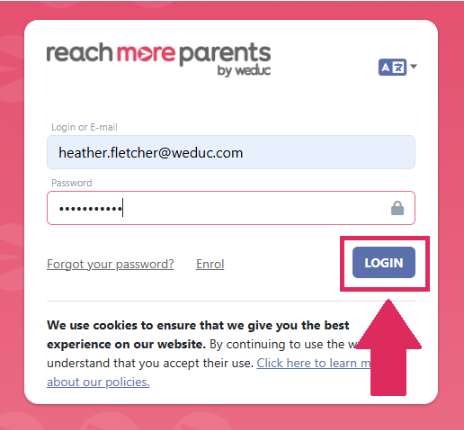
1) Log in to ReachMoreParents.
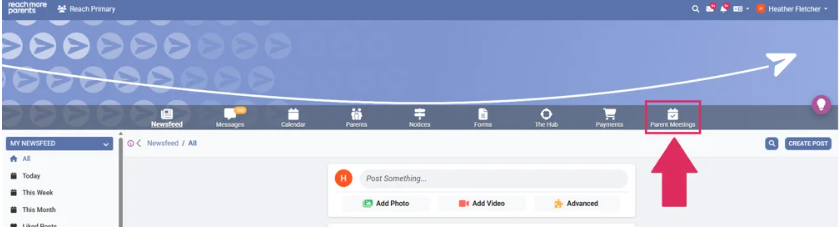
2) Click on the Parent Meetings icon
From this point, you will need to follow the below steps:
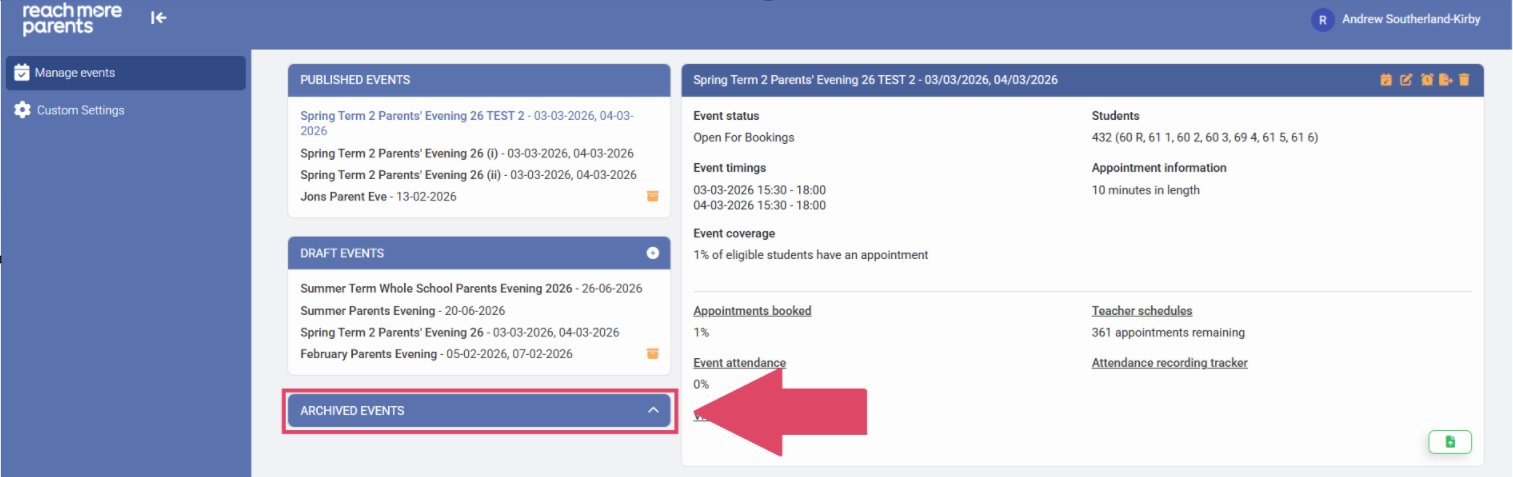
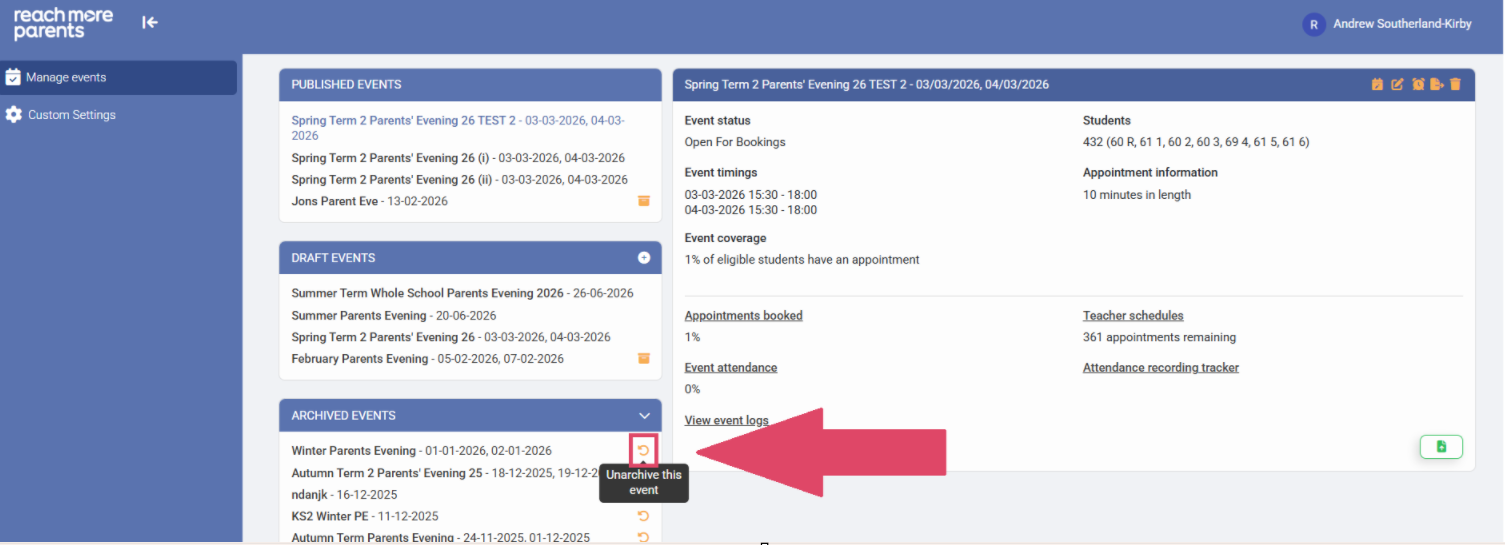
1) Click on the "Archived Events" header to expand it
2) Click on the "Unarchive this Event" button
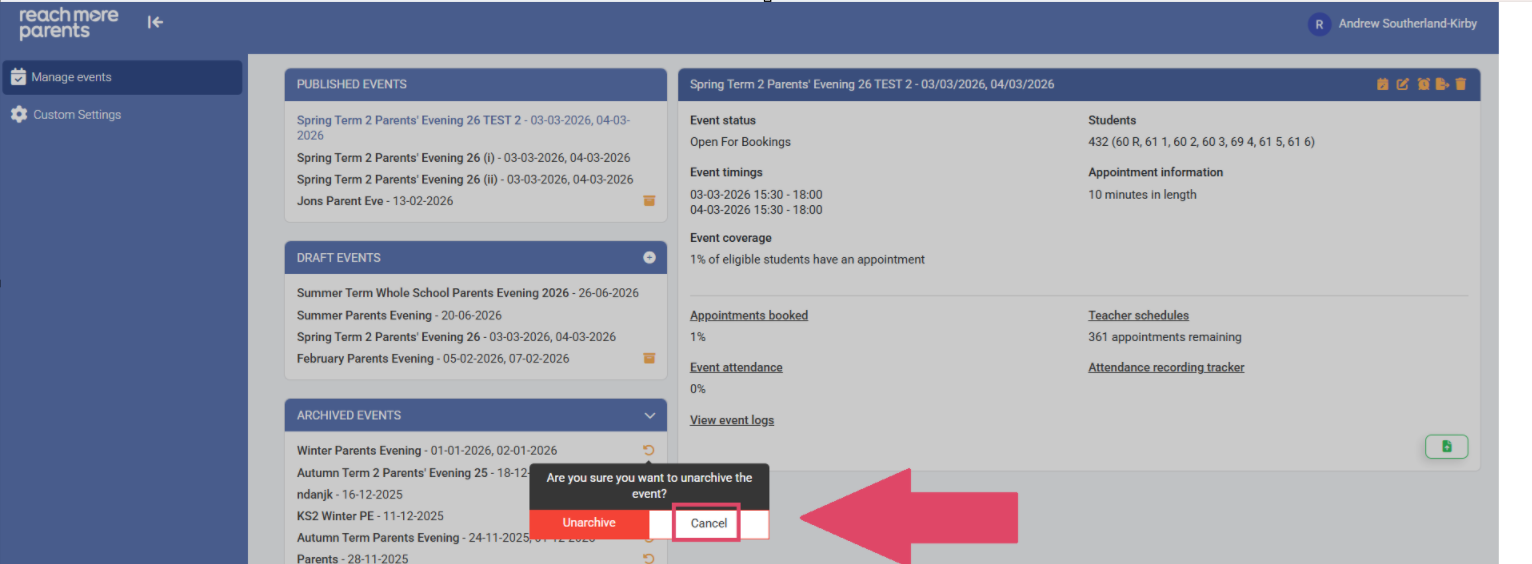
3) Click on "Cancel" if you've changed your mind
4) Click on "Unarchive" if you need to restore it
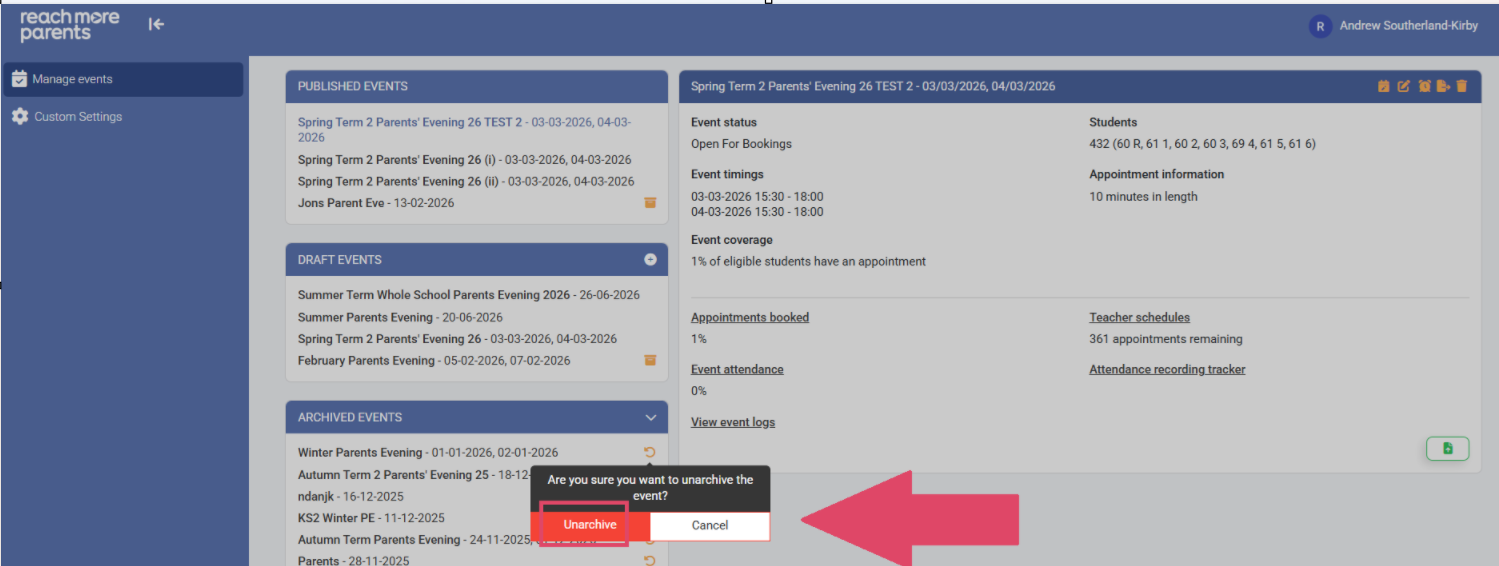
5) The Event has been returned to the "Draft Events" block or your "Published Events" block depending on it's status when you Unarchived it