<img src="https://secure.7-companycompany.com/795789.png" style="display:none;">
Skip to content
English - United Kingdom
  • There are no suggestions because the search field is empty.

(PEMS) How to export all teacher schedules for an event as an Admin

As a School Administrator, who has created a Parent Event, there may come a time where you need to take all the Teachers' schedules offline for the day(s) of the event. In this article, we will detail how to export all the Teachers' schedules to a file that you can review offline or print out if you need to circulate it on the day of the event.


Firstly, you need to access PEMS as an Admin:

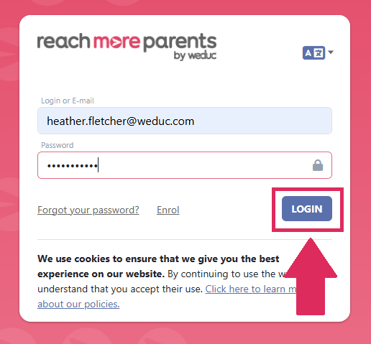
1) Log in to ReachMoreParents.
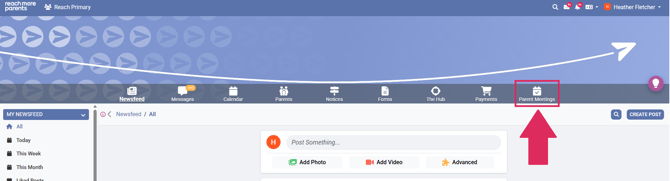
2) Click on the Parent Meetings icon


From here, you need to carry out the below steps:


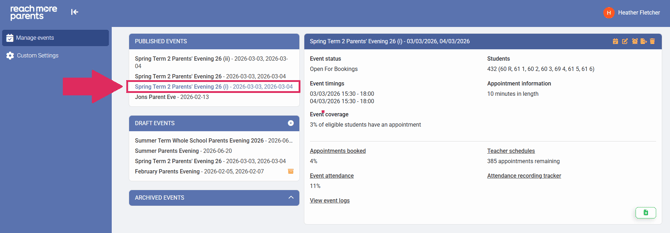
1) Click on the relevant Event title within the "Published Events" block


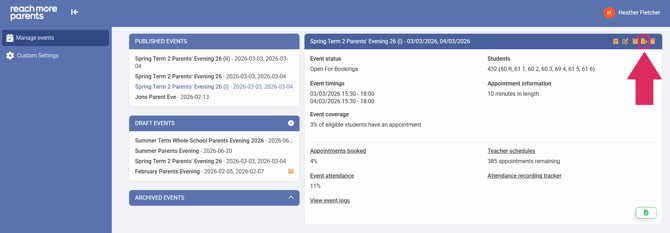
2) Click on the "Export" button in the Event Summary block heading


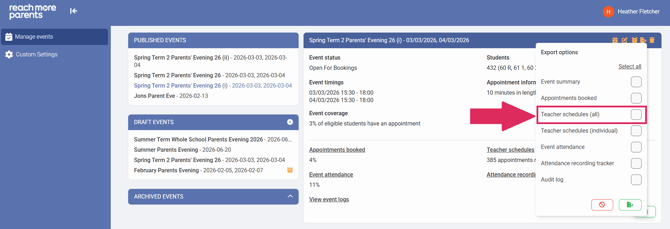
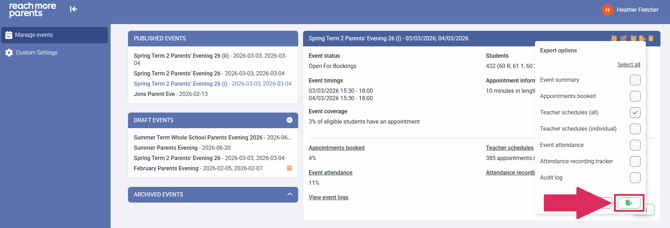
3) Click on the check box beside "Teacher schedules (all)"


4) Click on the "Export selected data" button


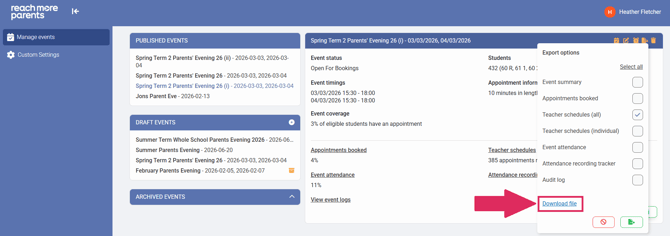
5) When the file has been prepared, a hyperlink labelled "Download file" will appear


6) Click on the "Download file" link and the file will be downloaded to your local downloads folder