
Follow these steps to create a post:
- Click ‘post something.’
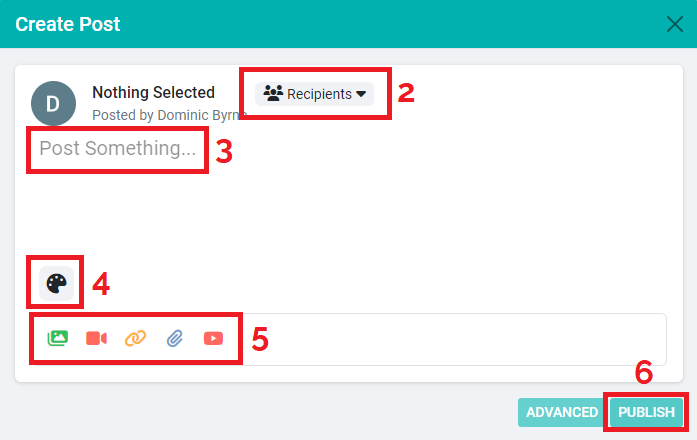
- Click ‘recipients’ and select your group.
- Click on ‘post something’ and type your message.
- Click the palette icon to select a background (optional).
- Click on the relevant icon at the bottom of the screen to attach photos, videos, files, weblinks or YouTube links (optional).
- Click ‘publish.’

Download the PDF below:
300 KB