
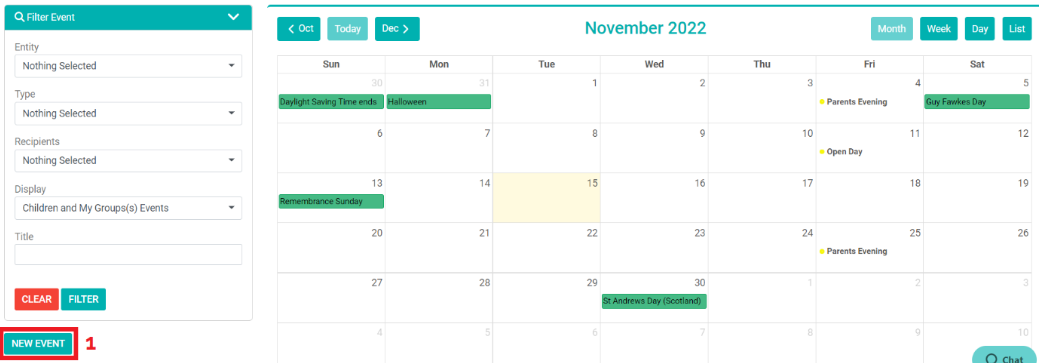
1) Click ‘New Event’.
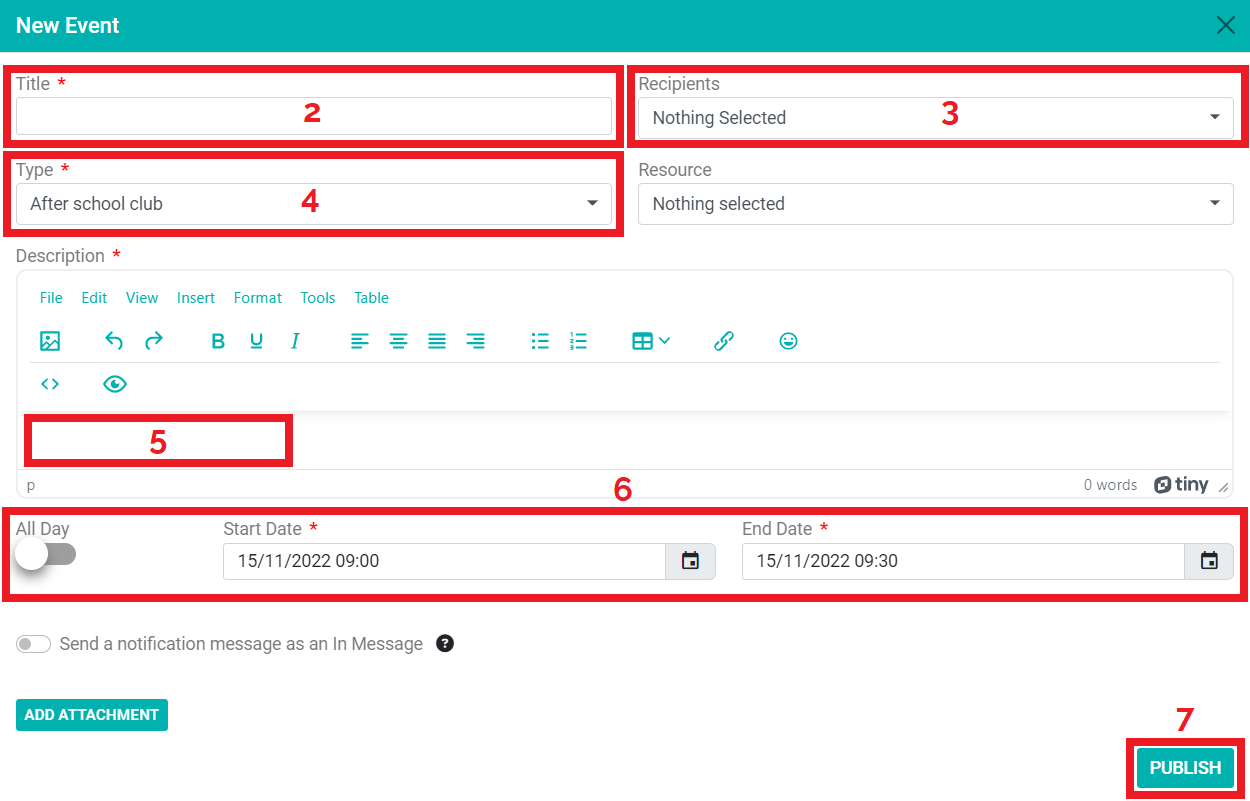
2) Enter your event ‘title’.
3) Choose your ‘recipients’ from the drop-down menu.
4) Click ‘type’ and select the type of event.
5) Write a ‘description’ for the event.
6) Click ‘all day’ to set the event as a whole day event or choose a ‘start date’ and ‘end date’ to choose the dates and times for the event.
7) Click ‘publish.’
Download the PDF below