
Manually created users will have no link to SIMS, to correct this Weduc support can add the external ID to the account.
In SIMS
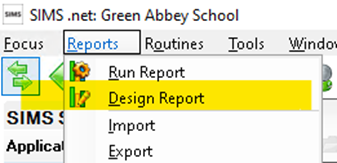
- Go to reports and Design Report
- Create a new report
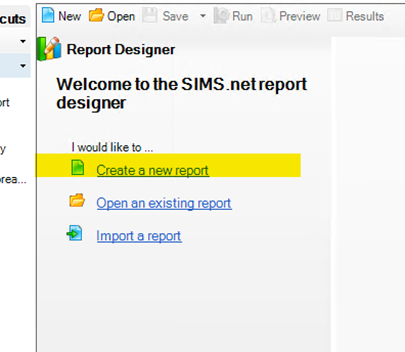
- Choose Contact/Student/staff depending on the type of user and click next

- For fields choose;
- Full Name
- Contact Information -> Primary Email
- CESThirdPartyFields -> External ID
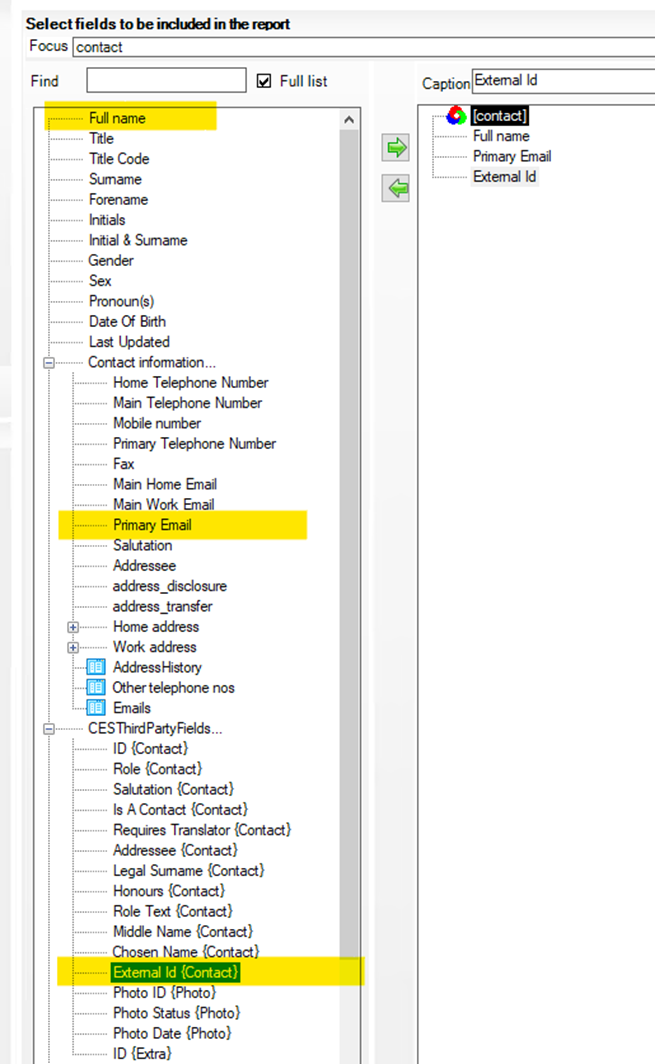
- Click Next
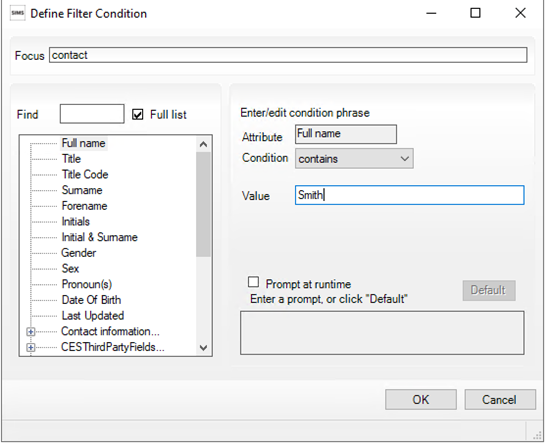
- Optionally; you could add a new filter for the parents in question;
- New
- Full Name
- Contains = The parents surname
- Finish
Set the report as excel then either preview or run, It’s a good idea to save this report for future use.
- Finish
- Run my report
Copy and paste the results from the excel spreadsheet into your email to Weduc support, please do not use screen shots