
Cancel/Change my Child's Meal Order
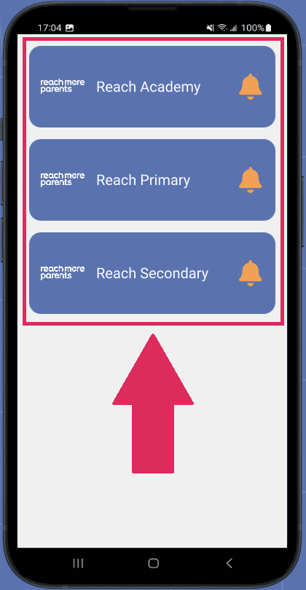
1. First open up your ReachMoreParents app and select the school you need to do this for.
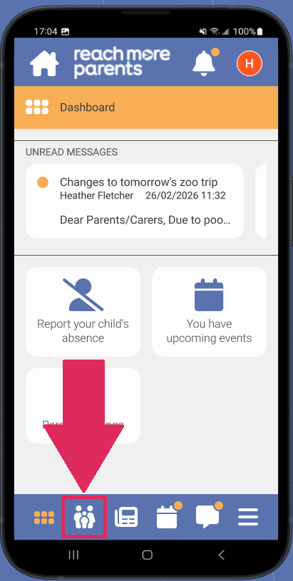
2. Next, select the Parent Portal (The icon looks like 2 parents and a child).
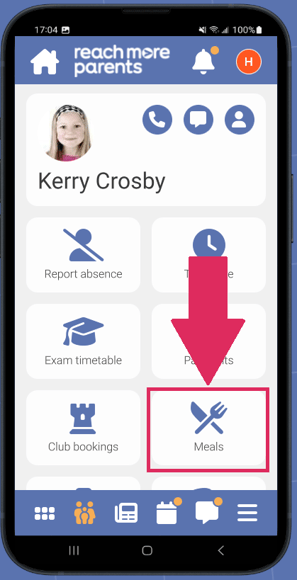
3. Select Meals
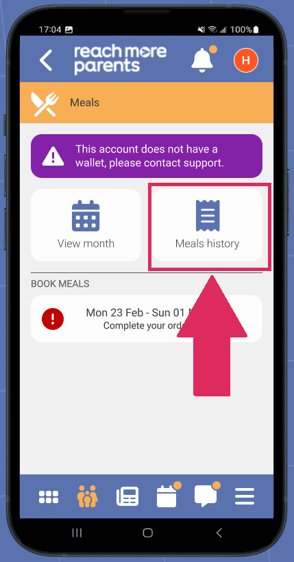
4. Now click on Meals History.
5. Locate the meal you Booking that you wish to cancel.
Note: This can only be done for future bookings, not ones that are now in the past.
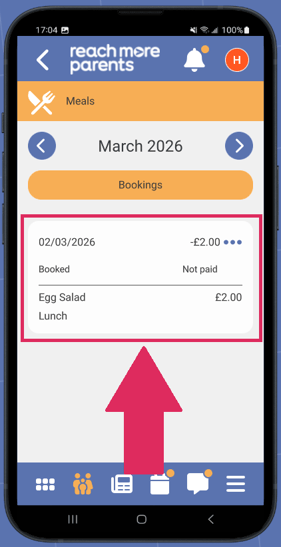
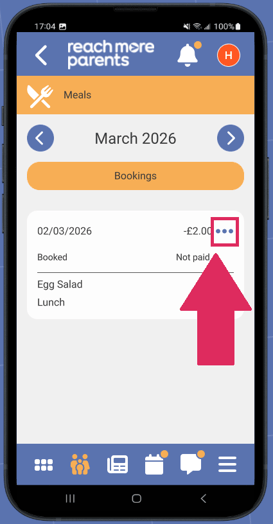
6. Select the 3 dots on the booking tile.
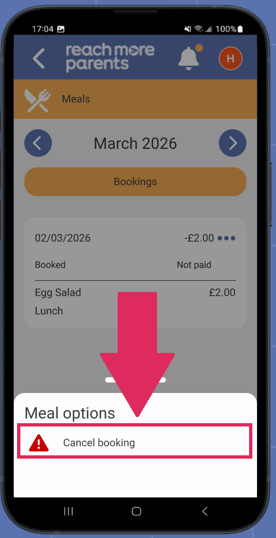
7. Now select Cancel Booking.
8. Click Yes.
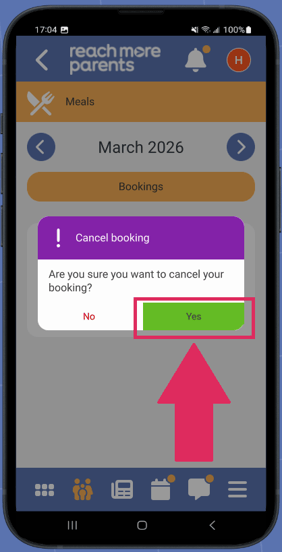
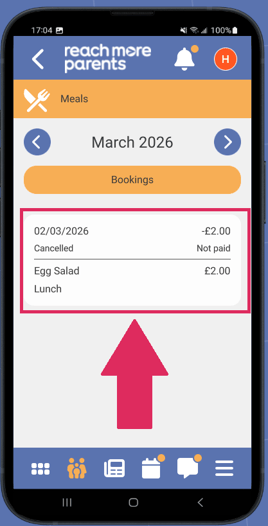
9. The meal will now be cancelled and shown as Refunded (if payment had been made). If a payment had been made, the funds will be added back as a credit balance on the system for you to reuse.
10. Should you need to now book another option, please click here for assistance on How to Order a Meal.