
If you have already booked your appointments for a PEMS Event, then you can check and view your appointment schedule by following the below instructions:
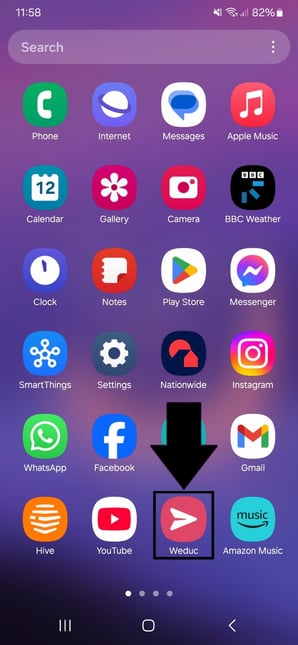
1) Tap on the ReachMoreParents app on your device home screen
2) Login using your Parent login username and password
3) The "Parent meetings" tile will be present on the Dashboard if any eligible* events are available for the parent - (* Parent has at least one child associated with event, event is in the future or for the current day, the booking window is still open)
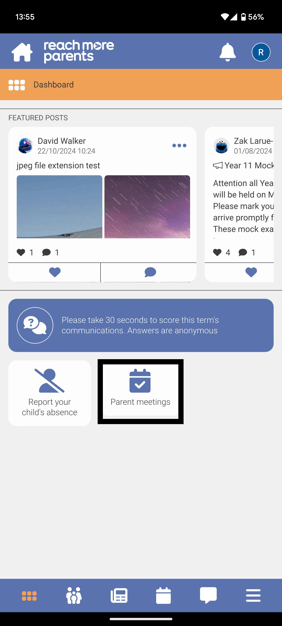
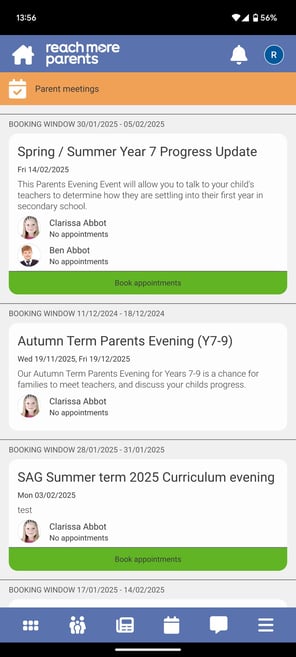
4) Tap on the Parent Meetings tile and any eligible* Parents Evening event(s) will be list in ascending event date order - (* Parent has at least one child associated with event, event is in the future or for the current day, the booking window is still open)
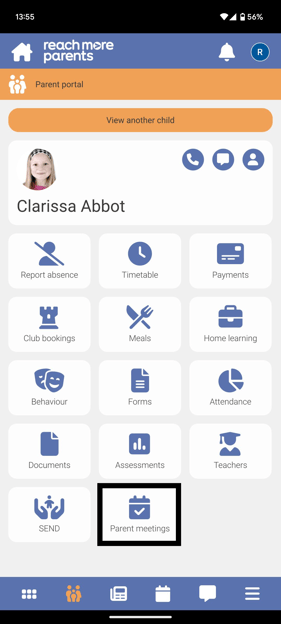
5) Alternatively, you can tap on the Parent Portal
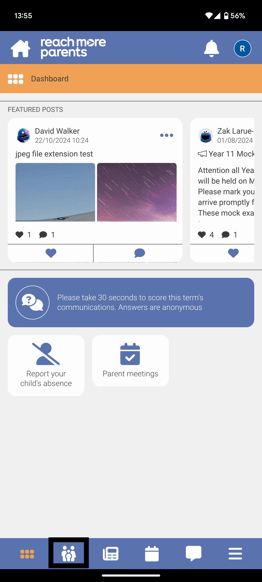
6) Then tap on the Parent meetings tile here to access your Parents Evening event(s)
From here, carry on with the following steps:
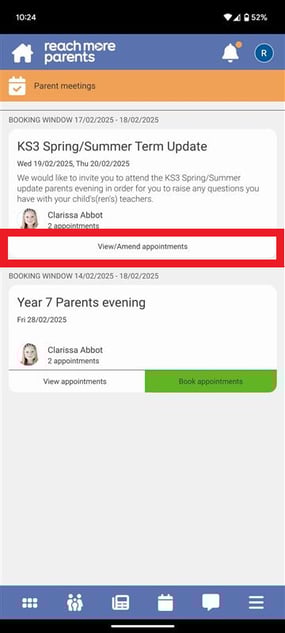
7) Tap on "View/Amend Appointments"
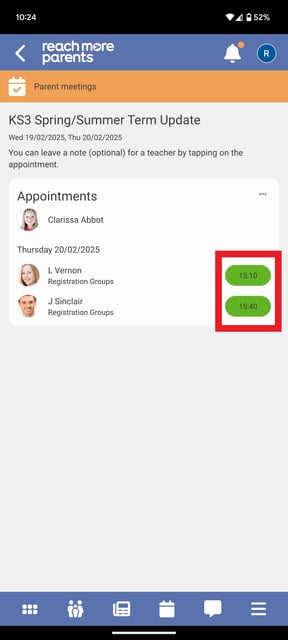
8) Your current appointment bookings will show as green "pills" with the time they're booked for displayed in them
9) Tap on an appointment to view any additional information
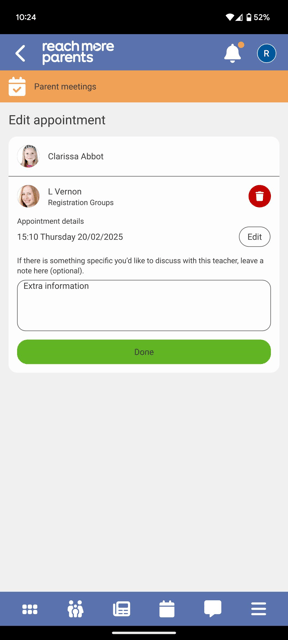
If you need to make any amendments to the appointment, please review the article on how to to do here.