
When a school has created a Parent Event on a date (or dates) that you're not available, you will need to let the school know within the ReachMoreParents App.
To do so, you will firstly need to access Parent Meetings in the App:
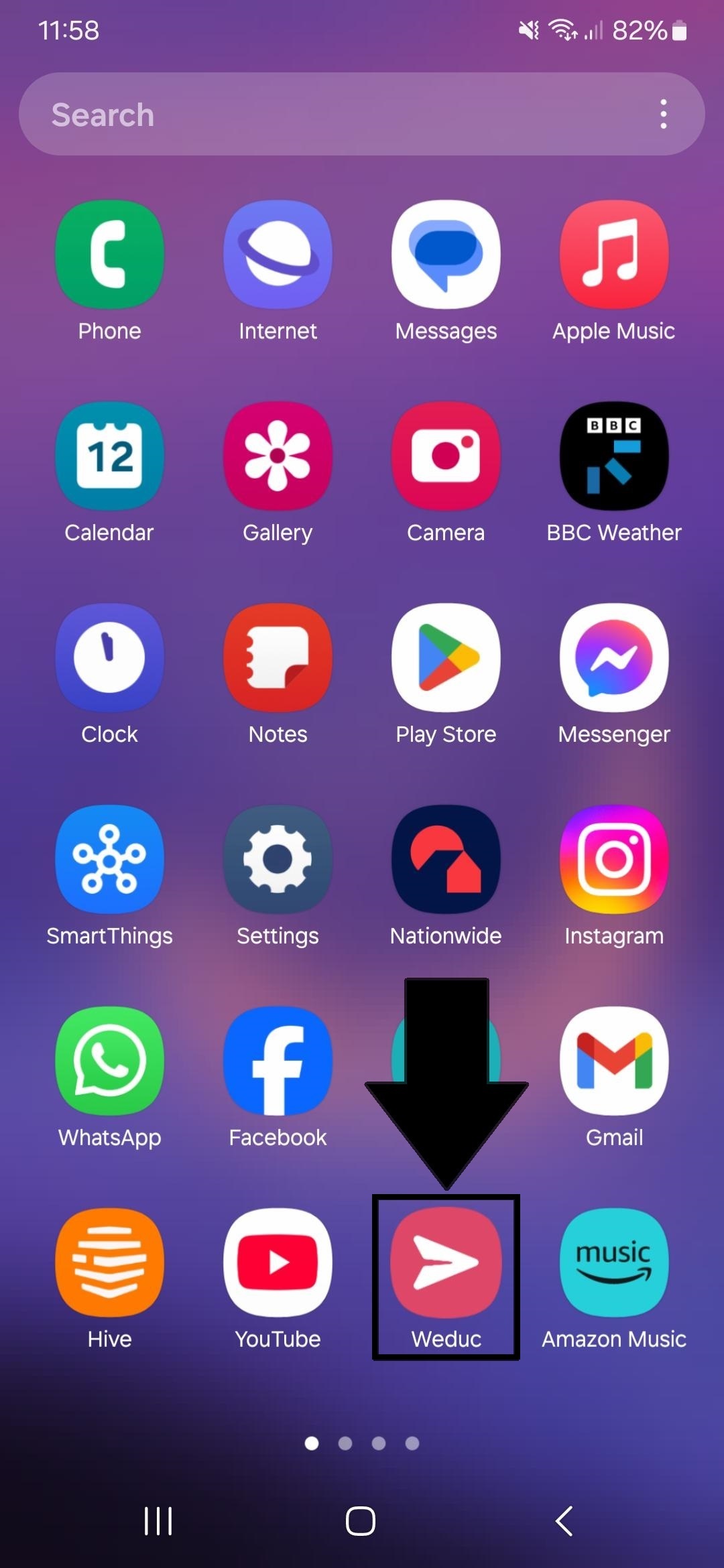
1) Tap on the ReachMoreParents app on your device home screen
2) Login using your Parent login username and password
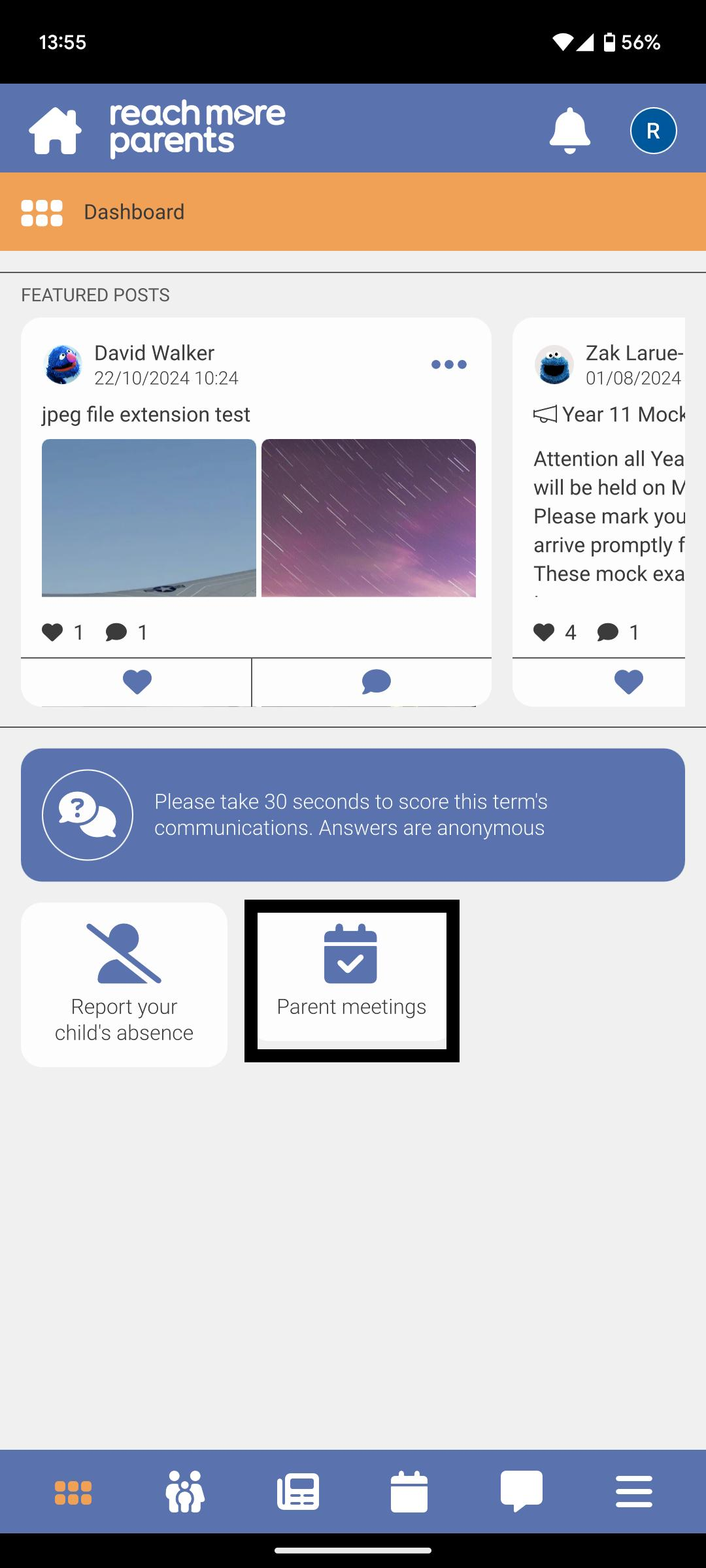
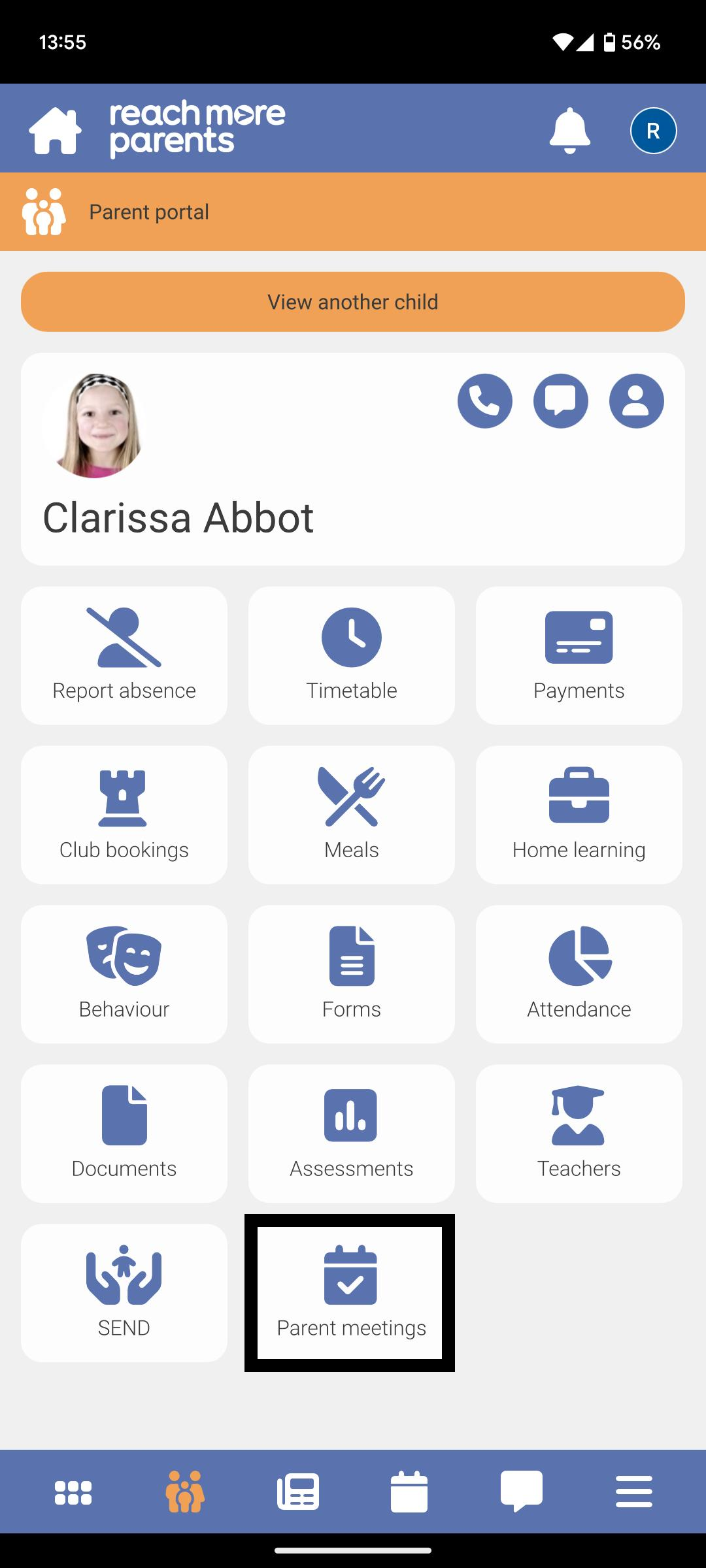
3) The "Parent meetings" tile will be present on the Dashboard if any eligible* events are available for the parent - (* Parent has at least one child associated with event, event is in the future or for the current day, the booking window is still open)
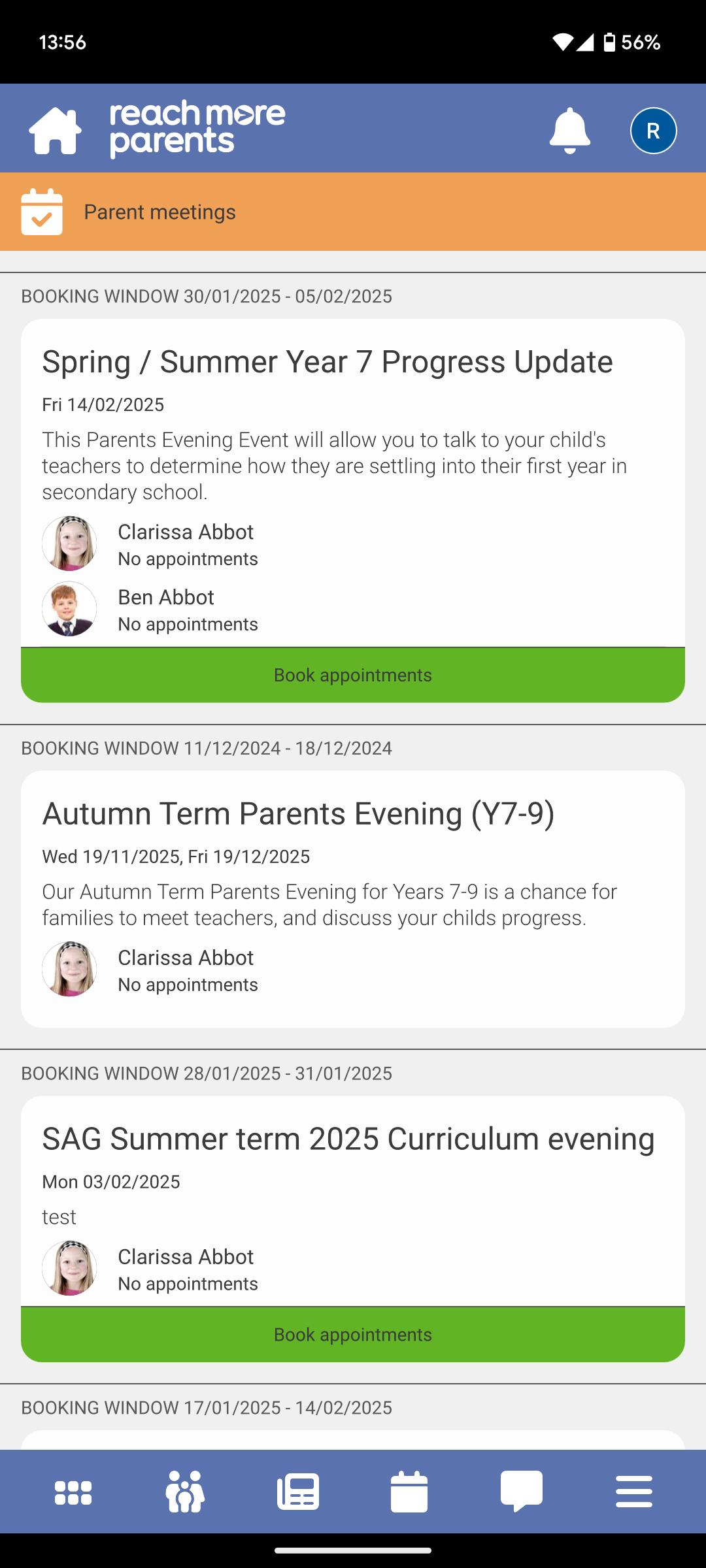
4) Tap on the Parent Meetings tile and any eligible* Parents Evening event(s) will be list in ascending event date order - (* Parent has at least one child associated with event, event is in the future or for the current day, the booking window is still open)
5) Alternatively, you can tap on the Parent Portal
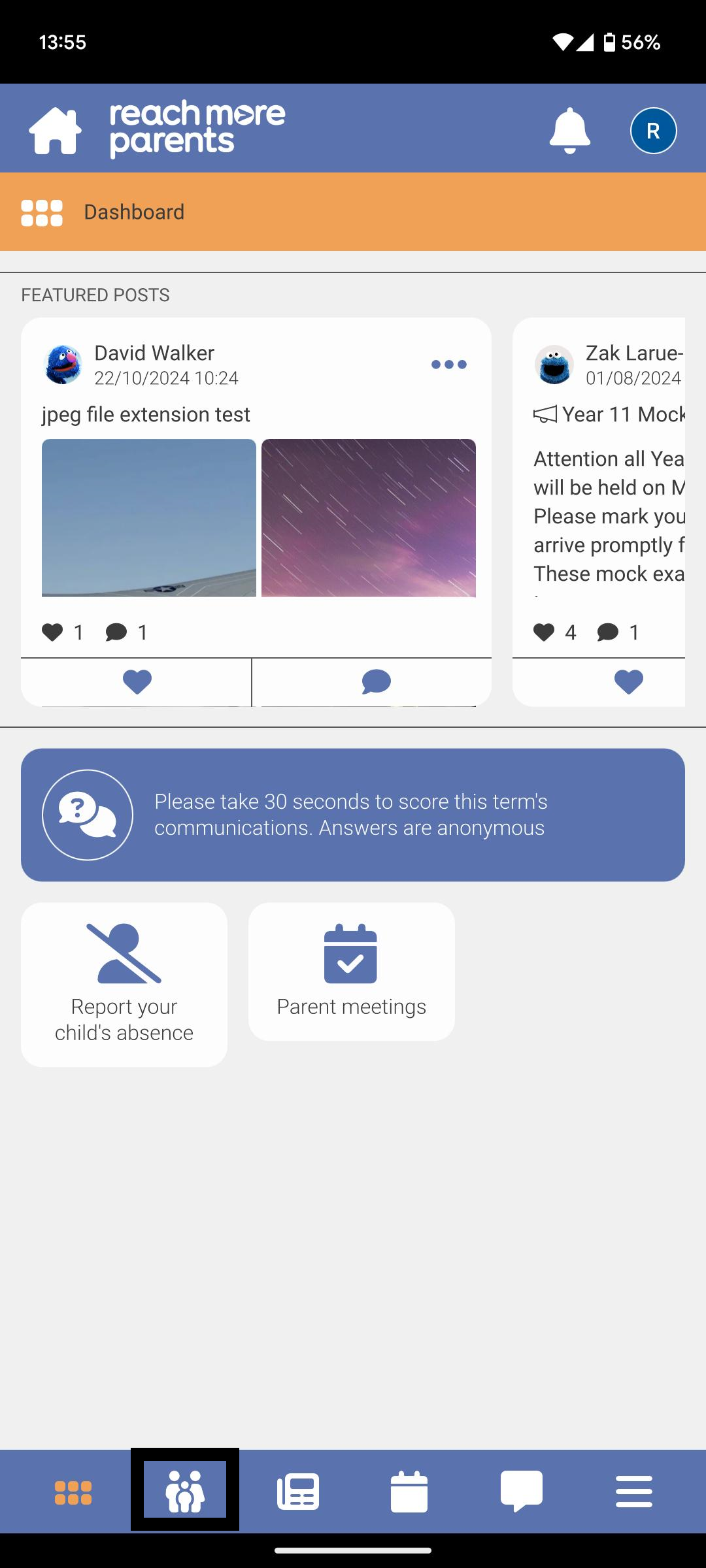
6) Then tap on the Parent meetings tile here to access your Parents Evening event(s)
From this point, you need to follow the below steps:
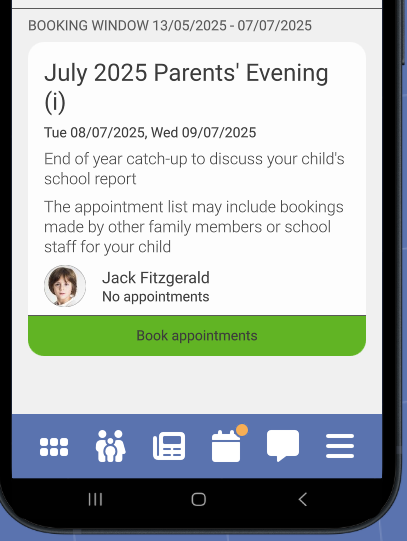
7) Tap on the "Book Appointments" in the Parent Event you're invited to
8) Tap on the "Available from" option and choose the "Not Attending" option
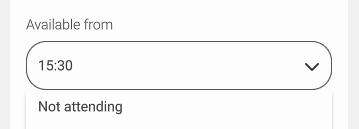
9) Repeat this step for each day you cannot attend