
Firstly, you need to access PEMS as an Admin:
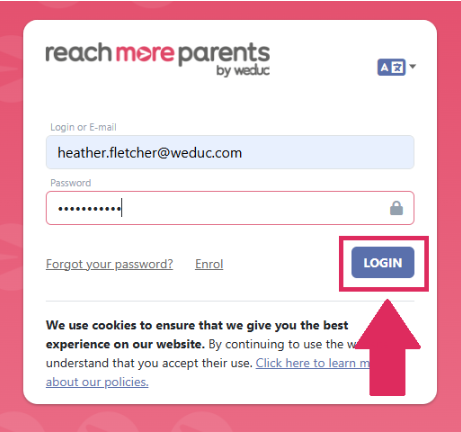
1) Log in to ReachMoreParents.
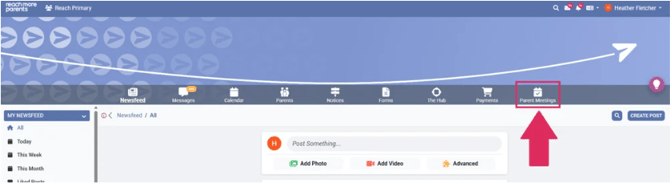
2) Click on the Parent Meetings icon
From this point, you need to carry out the below steps:
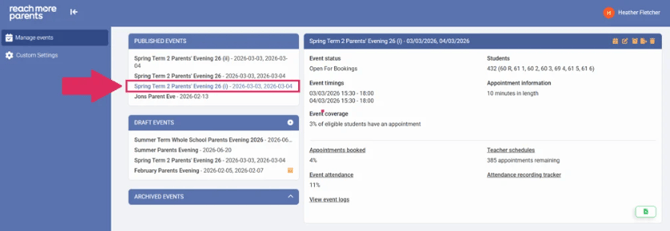
3) Click on the "Event Title" that you need to review the audit for
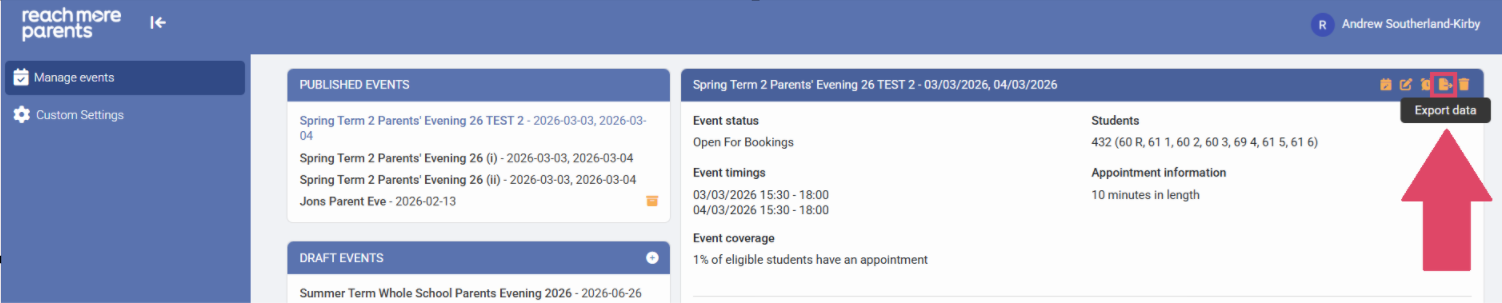
4) Click on the "Export data" button in the Event Summary block heading
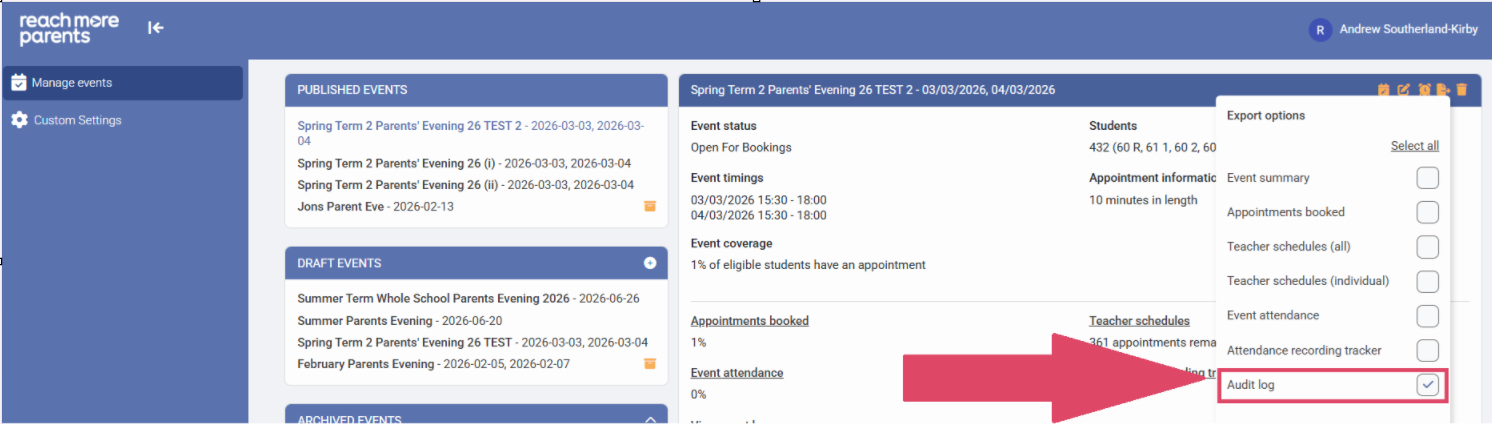
5) Click on the "Audit Log" check box to enable it within the Export menu
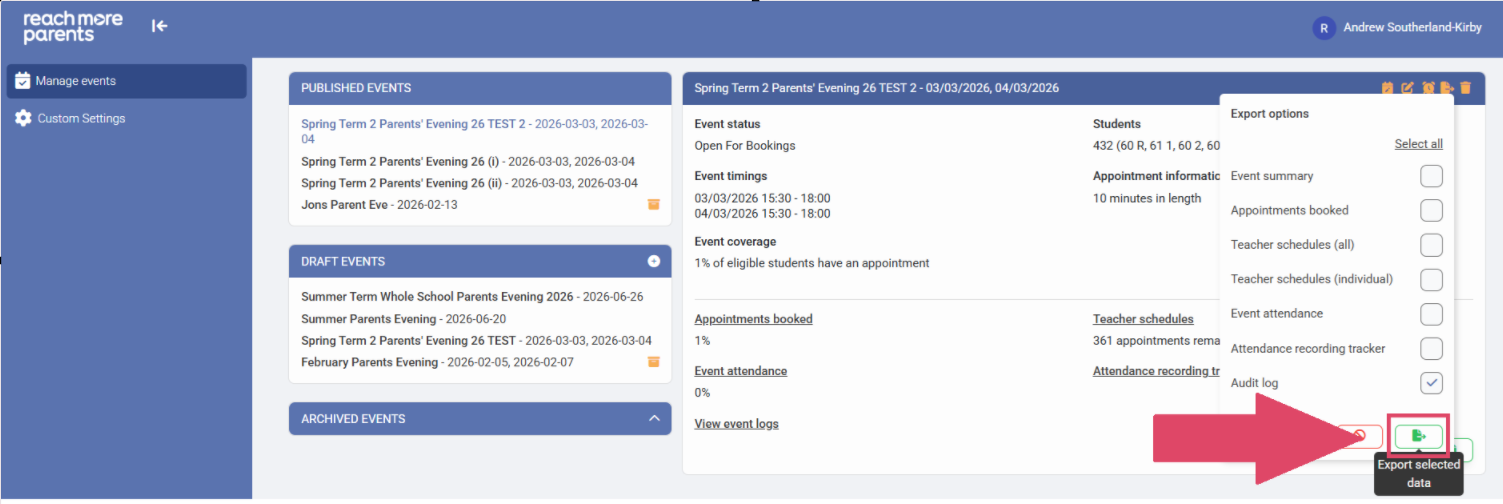
6) Click on "Export selected data" button
7) When the export has been generated, the "Download file" hyperlink will be visible
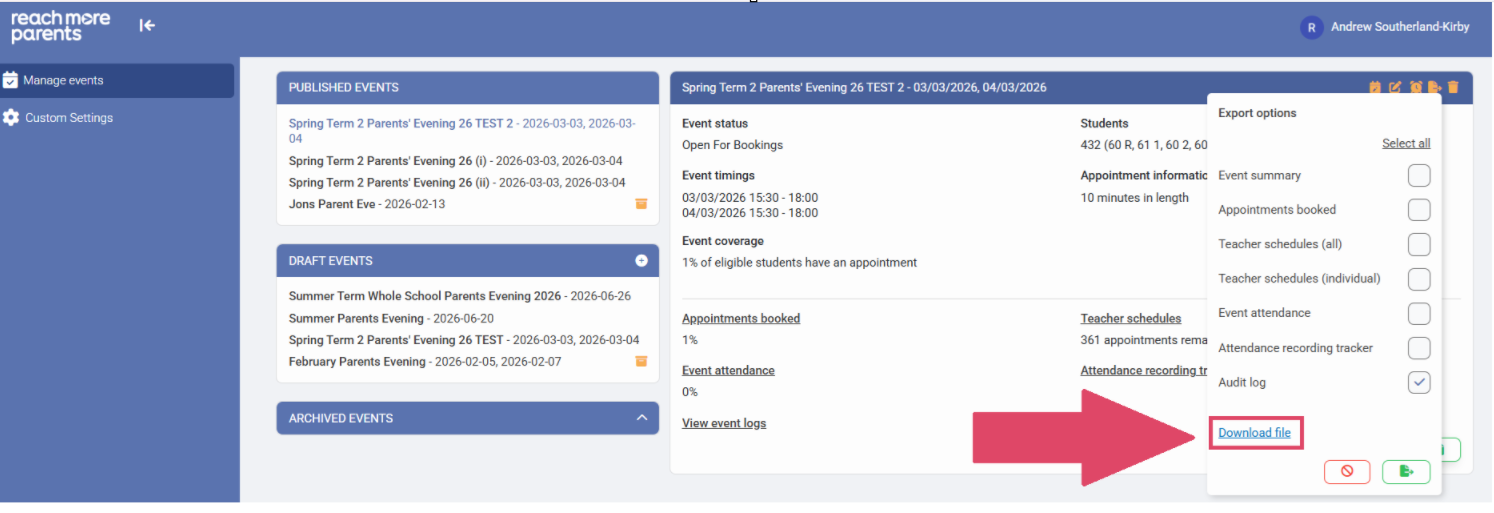
8) Click on the "Download file" link and this will be downloaded to your downloads folder on your device
