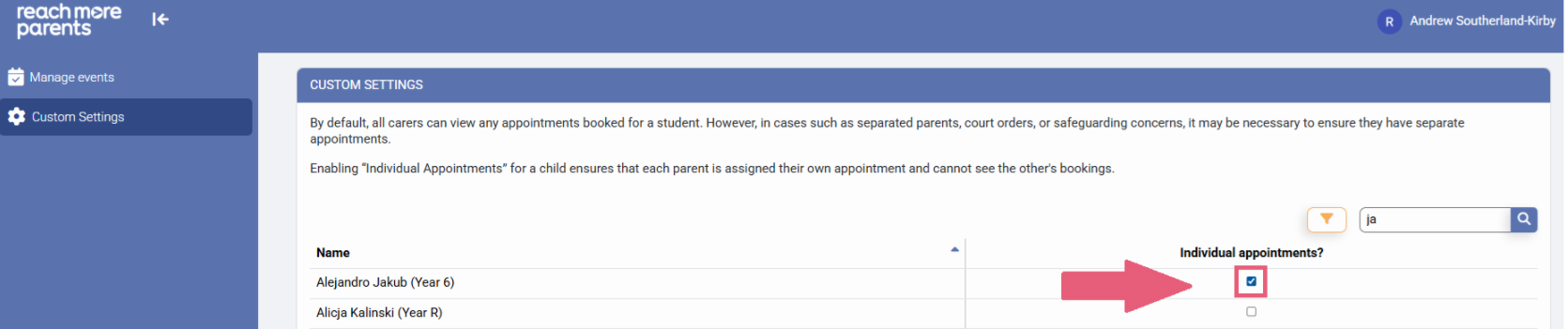
To manage the situation where Parent / Carers for a child cannot attend the same appointments, we have created a time saving setting which ensures that no matter how many events you create, you have a setting that's retained for all events.
Once this setting has been applied, the process for parents who can't be in the same room together is a simple one, enabling parents to create appointments separately.
To configure this flag against those children, first you need to log in as an Admin:
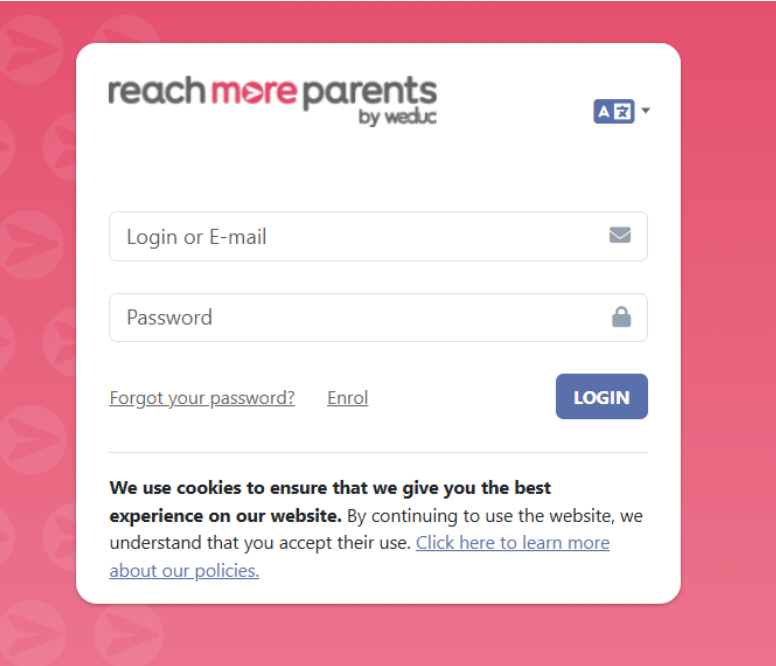
1) Log in to ReachMoreParents.
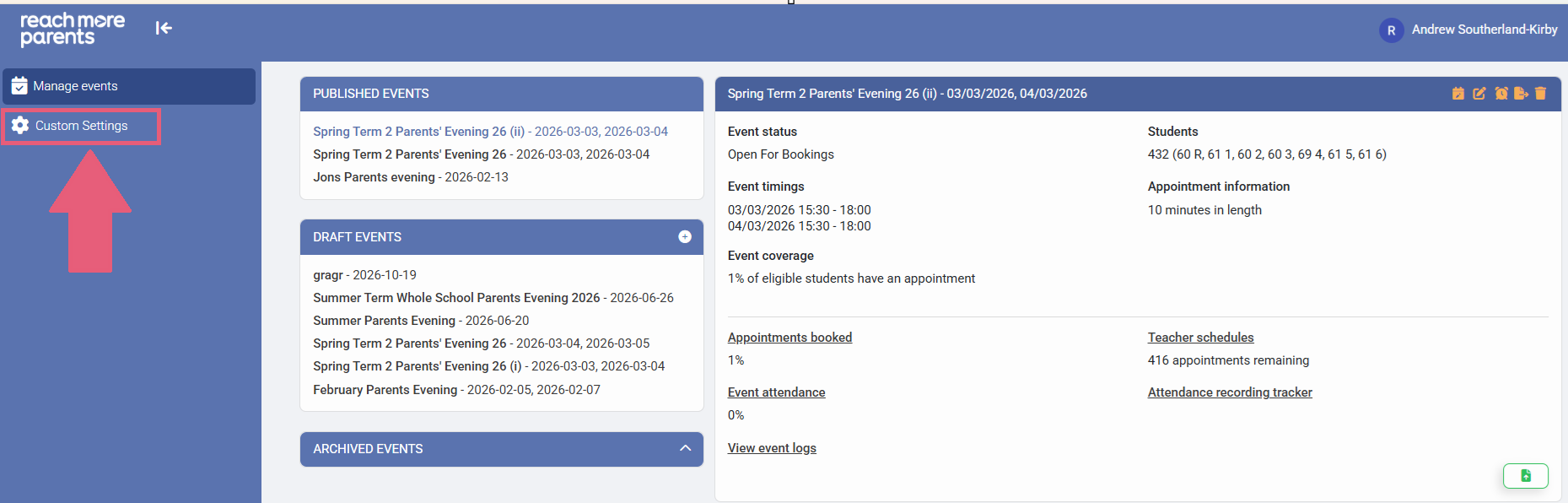
2) Click on the Parent Meetings icon

From this point, the steps you need to take are below:
1) Click on "Custom Settings"
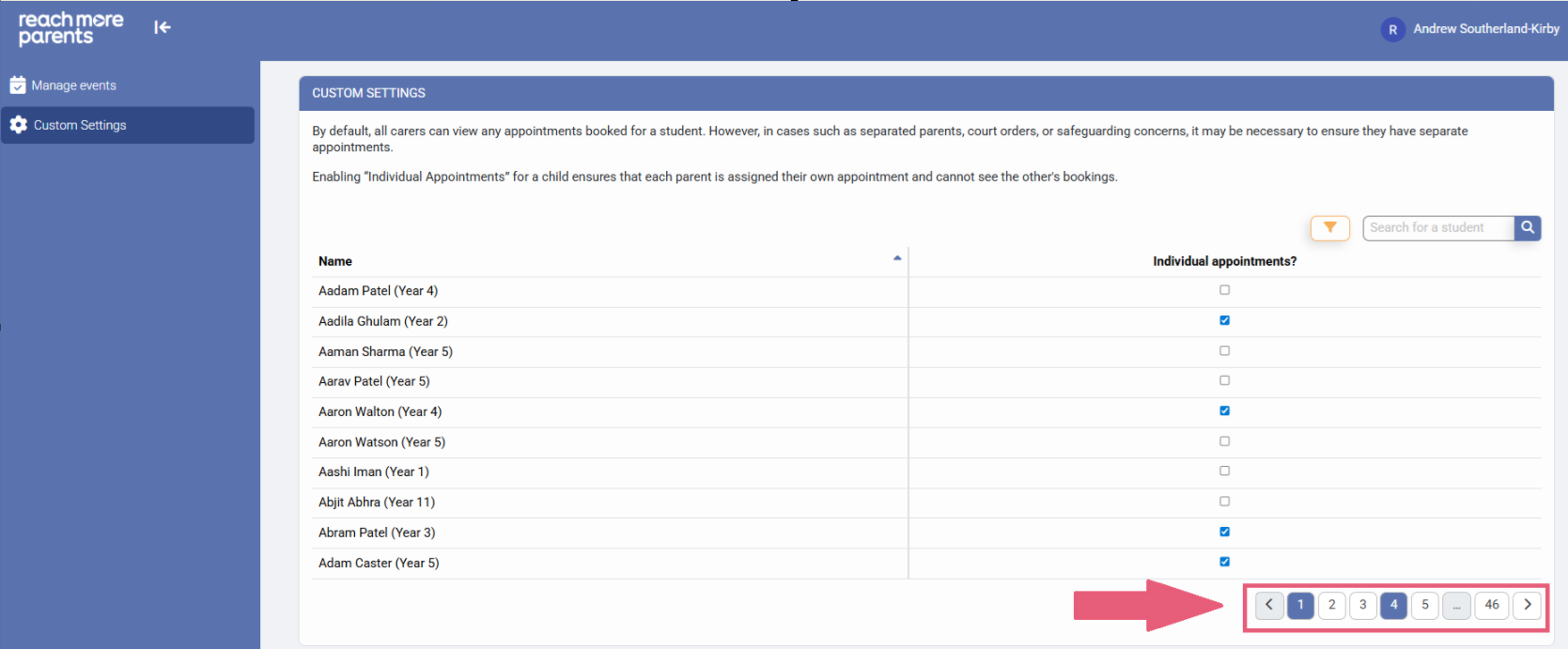
2) Use the page numbers to locate the pupil(s) alphabetically, whose parents require individual appointments
3) If you need to, search for the students' name in the Search bar then click "Search"
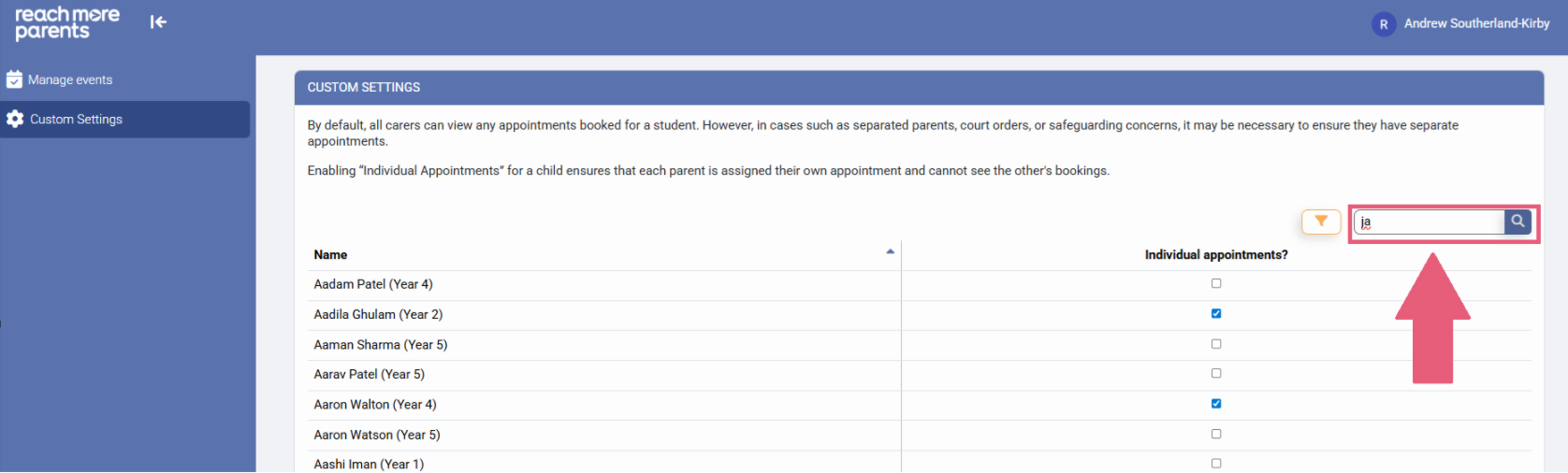
4) Click the check box against that Student's name and you're all set. Now, when these parents access Parent Meetings on the ReachMoreParents App, they will be booking their own individual appointments