
<img src="https://secure.7-companycompany.com/795789.png" style="display:none;">
Skip to content
English - United Kingdom
  • There are no suggestions because the search field is empty.

(PEMS) Configuring Basic Event Information for an Event as an Admin

This guide will help you to fill out the Basic Information for a PEMS event. If you're creating a new event and you're not sure how to get to this point, read this article and re-join us here when you're ready to fill out the basic event information.


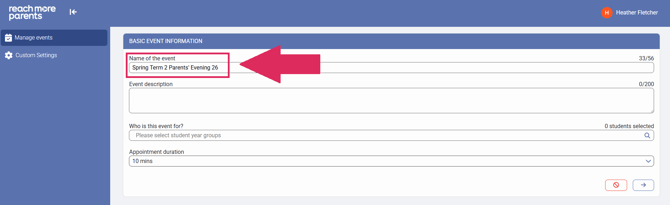
1) Type the name of your event.
1-Feb-04-2026-02-18-58-4736-PM

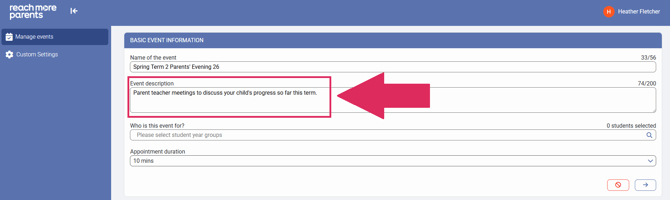
2) Type a description for your event.
2-Feb-04-2026-02-22-59-8577-PM

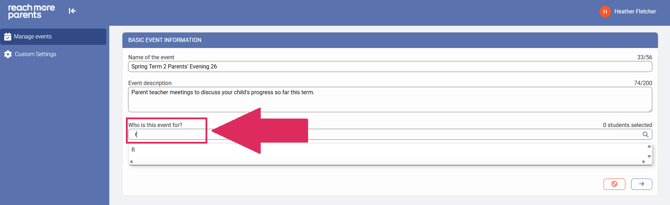
3) Click on the 'Who is this event for?" field and type the Year Groups you would like to invite to the Parent Event.
3-Feb-04-2026-02-26-29-9961-PM

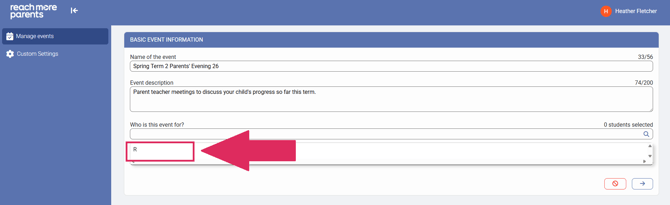
4) Click on the result to apply this group to the Event
4-Feb-04-2026-02-27-57-3406-PM

5) Repeat steps 3 and 4 for each Year group you need to add.
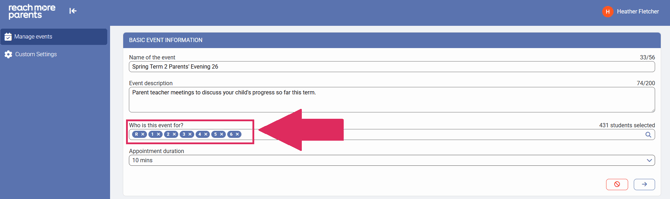
Screenshot 2026-02-04 142834

6) Click on the "Appointment duration" field to open the Time Selector.
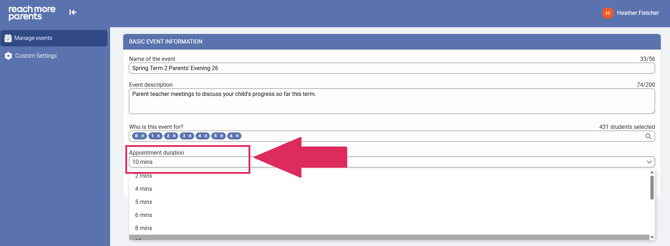
6-3

7) Choose the appointment duration required for your event.
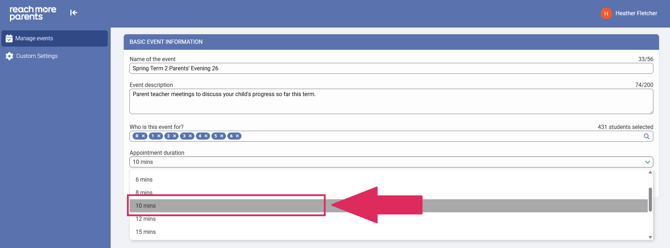
7-3

8) Click on "Next" to proceed to the "Event Date & Time Settings for [Event Name]" screen.
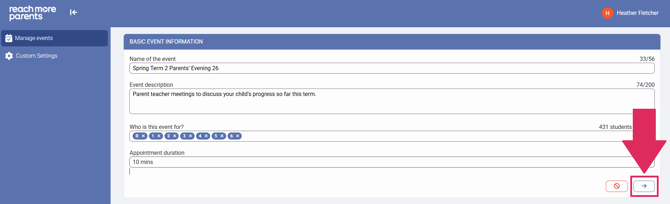
8-3

For the next steps, follow this link to find out how to set up the Event Date & Time.