
Log in to Reach More Parents and access the administration portal by clicking the down arrow next to your name and then the cog wheel.
Add yourself to the “Connector Administrator” Role
Find your account in the users/mailboxes area, select actions to the right and edit roles.
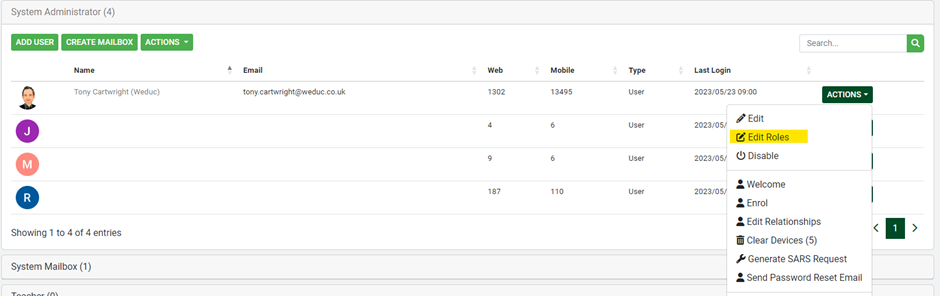
Click “Add Role” on the Connector Administrator role, once selected go back.
Running the Data Audit
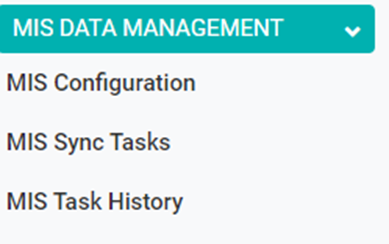
In the long menu on the left go to MIS data Management (you need to have the role connector administrator to see this, see above)
Go to MIS Sync Tasks under MIS Data Management
On Data Report – click Run

This can take anywhere up to 30 minutes depending on the size of your MIS data base.
Go back to MIS data management and this time open MIS Task history
You should see the data audit

Click the details button
On the next screen click the export to (excel) button.
You can now open the file to examine the audit data.