
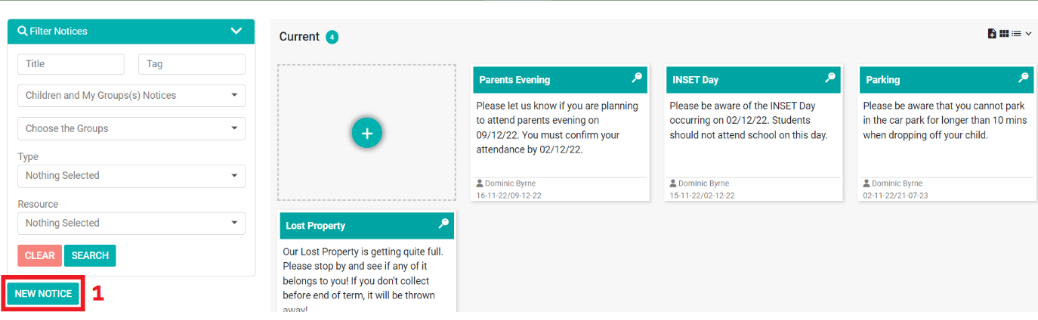
1) Click ‘New Notice’.
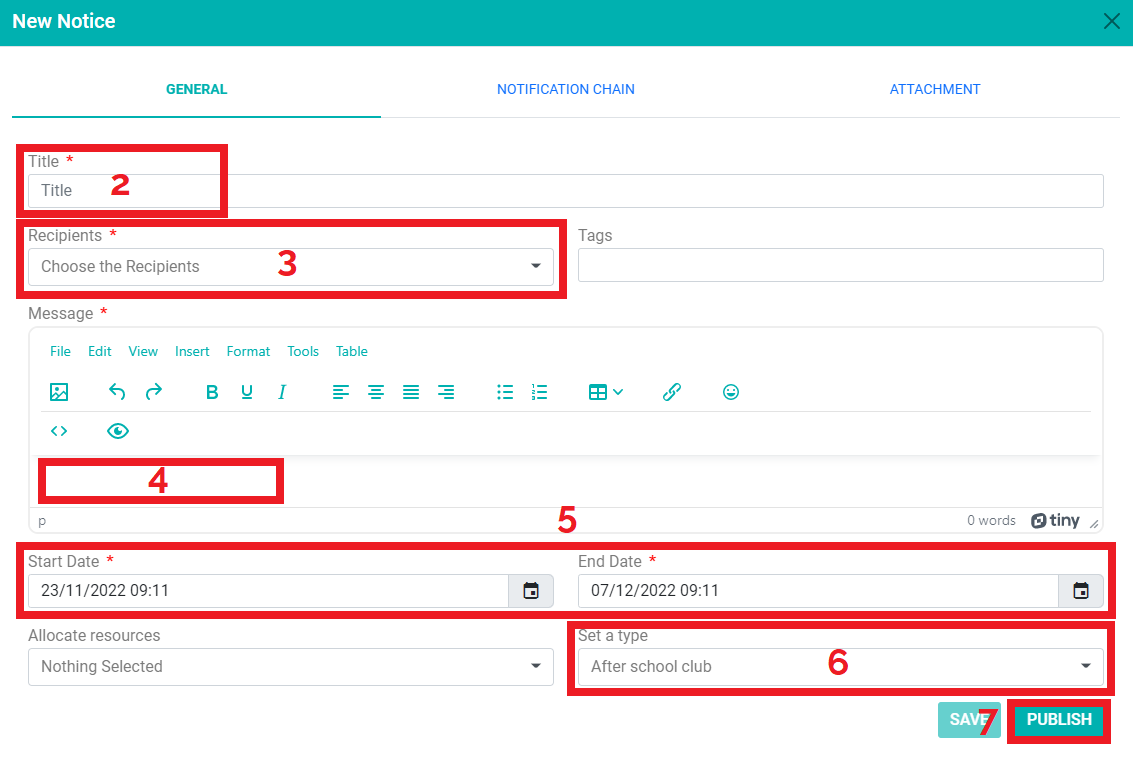
2) Click ‘Title’ to add a title.
3) Choose your ‘Recipients’ from the drop-down menu.
4) Type the notice information in the ‘message’ box.
5) Choose a ‘Start date’ and ‘End date’ and select times for the notice to be published between.
6) Choose an option from the ‘Set a type’ drop-down menu.
7) Click ‘Publish.’
Download the PDF below: